Best Business Banking Software: A Practical Guide for Modern Businesses
Managing business banking sounds simple when a company has one bank account and a few transactions.
Money comes in. Bills get paid. Someone checks the balance.
Then the business grows.
There may be several bank accounts, hundreds of customer payments, employee expenses, recurring transfers, different payment providers, and a finance team that needs to understand where money is moving every day.
At that point, logging into individual banking portals is no longer an efficient financial workflow.
This is where business banking software becomes useful.
Depending on the platform, business banking software can help companies manage accounts, payments, cash visibility, bank transactions, reconciliation, permissions, and financial operations from a more centralized environment.
But the category is broad.
Some products provide actual business bank accounts. Others connect existing accounts. Some specialize in payments or treasury management, while others focus on transaction visibility and reconciliation.
This guide explains the differences and compares some of the best business banking software options for different types of businesses.
What Is Business Banking Software?
Business banking software is technology that helps businesses manage banking-related financial activities.
Depending on the product, that may include:
- Business bank accounts
- Multiple bank accounts
- Transaction monitoring
- Domestic and international payments
- Employee cards
- Expense controls
- Cash-flow visibility
- Bank reconciliation
- Payment verification
- User permissions
- Financial reporting
- Accounting integrations
- Treasury management
The important point is that business banking software is not one single type of product.
A small company looking for a modern business account has very different requirements from a finance team trying to monitor 20 existing bank accounts.
Before comparing products, it helps to understand the major categories.
Types of Business Banking Software
Business banking products generally fall into several groups.
1. Business Banking Platforms
These platforms provide or facilitate access to business banking services.
They may include:
- Business accounts
- Transfers
- Debit or corporate cards
- Payment tools
- Expense controls
They are designed to replace or modernize the traditional business banking experience.
2. Multi-Bank Management Software
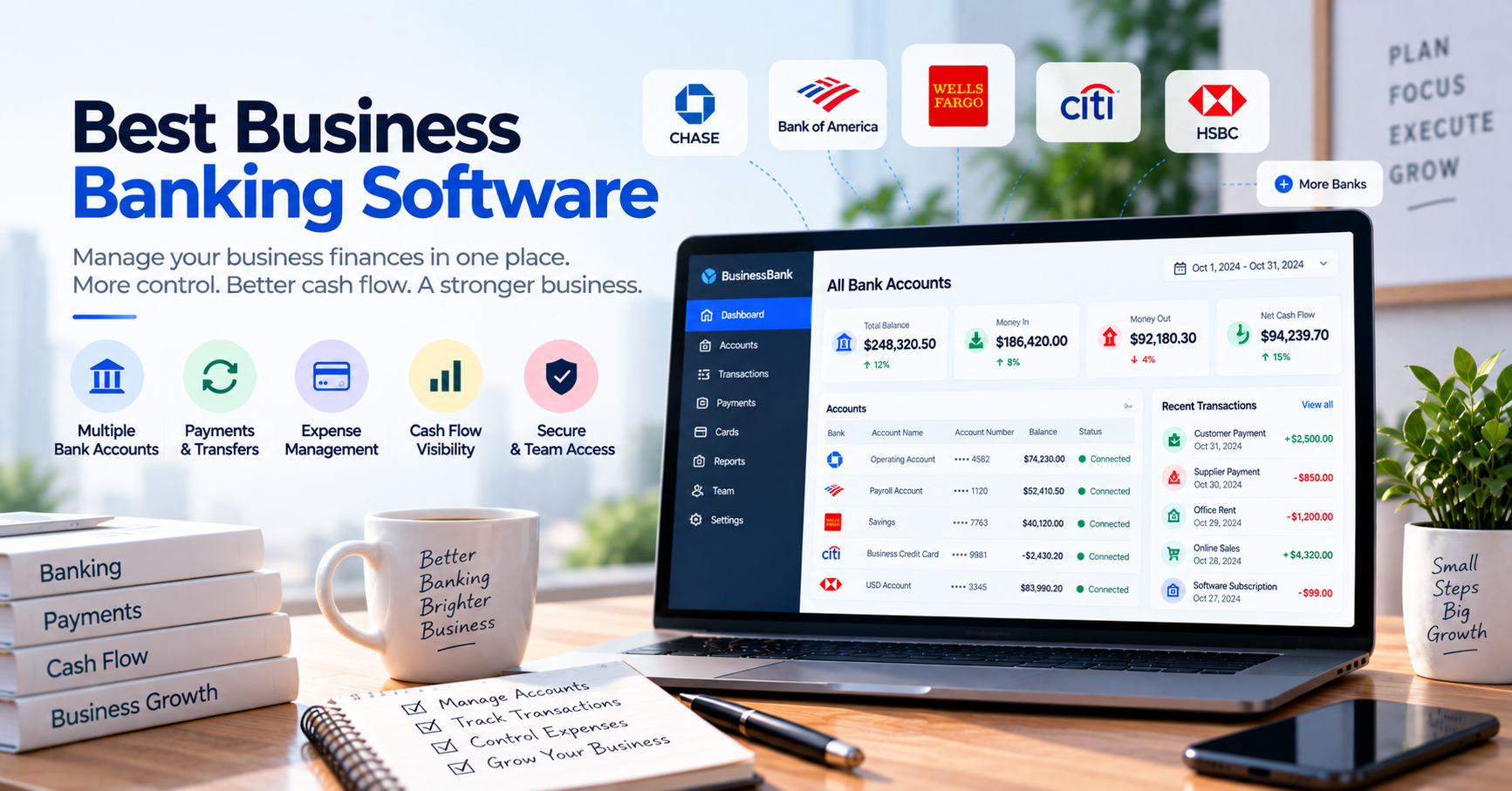
These platforms connect accounts from multiple financial institutions into a centralized interface.
The goal is usually not to replace your banks.
Instead, the software provides better visibility across them.
This can be useful when a company has:
Bank A + Bank B + Bank C + Bank D
and employees currently need to check each separately.
3. Treasury Management Software
Treasury software is typically designed for companies with more sophisticated financial operations.
It may provide:
- Cash-position monitoring
- Liquidity management
- Cash forecasting
- Bank connectivity
- Payment workflows
- Risk management
This category is generally more relevant to larger organizations.
4. Bank Transaction Management Software
Some businesses do not need a new bank or enterprise treasury platform.
Their problem is much simpler:
They need an easier way to monitor large numbers of transactions.
This type of software can help centralize banking activity, search transactions, verify incoming payments, manage transaction statuses, and give employees controlled access to financial information.
5. Accounting Software with Banking Features
Platforms such as QuickBooks, Xero, and Zoho Books also provide banking functionality.
They typically connect existing accounts through bank feeds and use transaction data for:
- Accounting
- Categorization
- Matching
- Reconciliation
These platforms are primarily accounting systems rather than banking platforms, but they may solve many of the same operational problems for smaller businesses.
What Should Good Business Banking Software Do?
The answer depends on your business, but several capabilities are particularly valuable.
Centralize Financial Information
The more bank accounts you have, the more valuable centralized visibility becomes.
Instead of:
Employee → Bank A
Employee → Bank B
Employee → Bank C
a centralized system creates:
Bank A + Bank B + Bank C → One Financial View
This can make everyday financial operations much easier.
Make Transactions Searchable
Search may sound like a basic feature.
In a high-volume business, it can be extremely valuable.
Imagine a customer contacting support and saying:
“I transferred $1,250 yesterday. Did you receive it?”
Someone needs to find that payment.
If the employee has to open several bank portals, identify the correct account, search the transaction history, and then return to the customer, payment verification becomes expensive.
A centralized transaction search can dramatically simplify that process.
Provide Clear Cash Visibility
A business owner should be able to understand:
- Where cash is held
- How much is available
- What money came in
- What money went out
- Which accounts are changing
- Which transactions need attention
This becomes especially important as the number of accounts increases.
Support Multiple Users
Banking should not necessarily mean sharing bank credentials.
Different employees may require different levels of financial access.
For example:
Owner
Full financial visibility.
Finance Manager
Transaction and reconciliation access.
Accountant
Accounting and reporting access.
Customer Support
Limited ability to verify customer payments.
Good financial software should support appropriate permissions.
Integrate With Accounting
Banking activity eventually needs to reach the accounting system.
Without integration, employees may still spend hours exporting and importing transactions.
Ideally:
Bank → Banking/Transaction System → Accounting → Reconciliation
should involve as little unnecessary manual work as possible.
Help With Reconciliation
Bank transactions and accounting records need to agree.
Good banking-related software may help with:
- Transaction matching
- Identifying missing records
- Duplicate detection
- Categorization
- Reconciliation
- Exception management
The exact capabilities vary substantially by platform.
Best Business Banking Software
There is no universal winner because the products below solve different problems.
The better question is:
What part of business banking are you trying to improve?
1. Mercury
Best for: Startups and technology-focused businesses wanting a modern banking experience
Mercury has become a recognizable financial platform for startups and small businesses.
Its offering combines business banking functionality with financial tools designed around modern company operations.
Businesses can use Mercury for activities such as managing accounts, sending payments, using cards, controlling employee spending, and monitoring financial activity.
Why businesses may consider it
- Modern business banking experience
- Business accounts
- Payment functionality
- Cards
- Team access and controls
- Startup-oriented financial tools
- Accounting integrations
Where it fits
Mercury makes the most sense when you are willing and eligible to use its banking ecosystem rather than simply wanting software to monitor existing bank accounts.
What to consider
Availability and eligibility depend on factors such as company structure, jurisdiction, and Mercury’s current onboarding requirements.
It should therefore not be assumed to be available to every business globally.
2. Relay
Best for: Small businesses wanting structured cash management
Relay is designed around small-business banking and cash management.
One of its distinguishing ideas is helping businesses organize money across multiple accounts.
This can be useful for companies that want to separate funds for purposes such as:
- Operating expenses
- Payroll
- Taxes
- Profit
- Reserves
Why businesses may consider it
- Business banking
- Multiple account organization
- Team access
- Payment capabilities
- Expense management
- Accounting integrations
- Cash-flow-oriented workflow
Where it fits
Relay can be particularly attractive to small businesses that want their banking structure itself to help organize cash.
What to consider
As with other banking platforms, businesses need to confirm geographic and eligibility requirements.
3. Wise Business
Best for: Businesses sending and receiving money internationally
International payments create a different banking problem.
A business may receive customers in several currencies, pay overseas suppliers, and frequently convert money.
Wise Business focuses heavily on this environment.
Why businesses may consider it
- International transfers
- Multi-currency capabilities
- Receiving money in supported currencies
- Currency conversion
- Business payment tools
- Integration capabilities
Where it fits
Wise Business can be especially useful for:
- International businesses
- Agencies with overseas clients
- Import/export companies
- Remote teams
- Businesses paying international contractors
What to consider
Wise should not automatically be treated as a replacement for every traditional business banking requirement.
Features and account availability vary by country.
4. Airwallex
Best for: Global businesses needing payments and multi-currency financial infrastructure
Airwallex operates at the intersection of business accounts, international payments, cards, foreign exchange, and payment infrastructure.
This makes it particularly interesting for companies operating internationally.
Why businesses may consider it
- Multi-currency accounts
- International transfers
- Foreign exchange
- Corporate cards
- Payment acceptance
- Expense management
- Financial integrations
Where it fits
Airwallex is particularly relevant when a business has cross-border financial operations and wants more than a traditional domestic bank account.
What to consider
The platform offers a broad range of financial products, so businesses should evaluate which services are actually available in their jurisdiction.
5. Brex
Best for: Growing companies wanting financial operations and spend management
Brex has expanded beyond its origins as a corporate-card product into a broader financial platform.
Its capabilities can include:
- Corporate cards
- Expense management
- Travel
- Bill payments
- Banking-related financial services
- Spend controls
- Financial automation
Why businesses may consider it
Brex is particularly interesting when banking is only one part of a larger spend-management problem.
Companies can use financial controls to manage how employees spend business money.
Where it fits
Growing companies with multiple employees and significant operational spending may find this approach more useful than basic business banking alone.
What to consider
Smaller businesses with straightforward banking requirements may not need the breadth of functionality.
Eligibility and product availability should also be verified.
6. Rho
Best for: Businesses wanting banking, cards, expenses, and treasury tools together
Rho takes a broader financial-operations approach.
Rather than treating banking, corporate cards, expenses, and treasury as completely separate functions, it brings several of these areas together.
Why businesses may consider it
- Business banking functionality
- Corporate cards
- Accounts payable
- Expense management
- Treasury-related capabilities
- Financial automation
Where it fits
Rho may be appropriate for companies whose financial operations have become too complicated for a basic business bank account but do not necessarily want a traditional enterprise treasury platform.
What to consider
As with other financial platforms, businesses should evaluate eligibility, banking relationships, fees, and exact product availability.
7. QuickBooks Online
Best for: Small businesses that primarily need accounting with connected banking
QuickBooks is not a bank.
It belongs in this comparison because many small businesses do not actually need new banking infrastructure.
They need better management of the transactions coming from their existing banks.
QuickBooks can connect supported accounts through bank feeds and bring transactions into the accounting workflow.
Users can then categorize activity, match transactions, and reconcile accounts.
Why businesses may consider it
- Accounting
- Bank feeds
- Transaction categorization
- Transaction matching
- Reconciliation
- Invoicing
- Expense tracking
- Financial reporting
Where it fits
If your primary objective is:
“Connect my bank accounts to my accounting.”
QuickBooks may make more sense than replacing your bank.
What to consider
Bank connectivity depends on the financial institution and country.
8. Xero
Best for: Businesses wanting strong bank reconciliation within cloud accounting
Like QuickBooks, Xero is primarily an accounting platform rather than a banking provider.
Its bank feeds bring supported transaction data into the accounting environment, where users can match and reconcile activity.
Why businesses may consider it
- Bank feeds
- Transaction matching
- Bank rules
- Reconciliation
- Accounting
- Invoicing
- Financial reporting
- Integration ecosystem
Where it fits
Xero can be particularly useful when the objective is to make banking activity part of a continuous accounting workflow.
What to consider
Bank-feed support varies by country and financial institution.
9. AutoBookBank
Best for: Businesses that need centralized visibility across existing bank accounts
AutoBookBank addresses a different problem from platforms offering new business bank accounts.
The business may already have all the bank accounts it needs.
The problem is managing them efficiently.
Imagine a company receiving hundreds of bank transfers every day across several accounts.
Employees repeatedly need to answer:
“Did this payment arrive?”
Without centralized transaction information, the workflow may look like:
Customer asks about payment
↓
Employee asks which bank
↓
Employee logs into bank
↓
Employee searches transactions
↓
Employee verifies amount
↓
Employee confirms payment
Doing this occasionally is easy.
Doing it hundreds of times becomes an operational problem.
A transaction-management platform can create a simpler workflow:
Existing Bank Accounts
↓
Centralized Transaction Data
↓
Search / Monitor / Verify
↓
Business Workflow
Why businesses may consider AutoBookBank
Depending on the business’s requirements, the platform can help with:
- Multiple bank account visibility
- Centralized transaction monitoring
- Transaction search
- Incoming payment verification
- Transaction status management
- Notes and transaction organization
- Multiple users
- Controlled access
- Data exports
Where it fits
AutoBookBank is particularly relevant to businesses where bank transfers are an important customer payment method.
It can complement accounting software rather than replace it.
What to consider
AutoBookBank should not be confused with a bank.
It does not need to replace your existing banking relationships to provide value.
It also should not automatically be considered a replacement for complete accounting software.
Its role is more focused:
making existing bank transaction information easier for businesses to use.
Quick Comparison
| Software | Best For | Business Banking | Existing Bank Integration | Accounting | Multi-Currency / Global |
|---|---|---|---|---|---|
| Mercury | Startups | Strong | Limited use case | Integrates | Some |
| Relay | Small-business cash organization | Strong | Ecosystem dependent | Integrates | Limited |
| Wise Business | International payments | Strong | Specialized | Integrates | Strong |
| Airwallex | Global financial operations | Strong | Specialized | Integrates | Strong |
| Brex | Spend management | Strong | Financial platform | Integrates | Strong |
| Rho | Finance operations | Strong | Financial platform | Integrates | Moderate |
| QuickBooks Online | Accounting + bank feeds | No | Strong* | Strong | Varies |
| Xero | Accounting + reconciliation | No | Strong* | Strong | Strong |
| AutoBookBank | Existing bank transaction management | No | Specialized | Complements | Bank dependent |
*Supported banks depend on financial institution, country, connection provider, and product availability.
This comparison shows why the phrase “best business banking software” can be misleading.
These platforms are not all trying to do the same thing.
Which Business Banking Software Is Best?
The answer depends on your main problem.
If you need a modern business bank account:
Consider platforms such as Mercury or Relay, subject to eligibility and availability.
If you regularly move money internationally:
Consider Wise Business or Airwallex.
If employee spending is becoming difficult to control:
Platforms such as Brex or Rho may deserve consideration.
If you primarily need banking data inside accounting:
Consider QuickBooks Online or Xero.
If you already have several bank accounts but struggle to monitor transactions:
A transaction-focused platform such as AutoBookBank may be more appropriate.
This is why identifying the problem before selecting software matters.
Business Banking Software vs. Accounting Software
Business banking and accounting are closely related, but they perform different jobs.
Banking asks:
Where is the money?
Accounting asks:
What does the money represent?
For example, your bank may show:
Deposit: $5,000
Your accounting system explains:
Customer ABC paid Invoice #1052.
The banking record confirms the money movement.
The accounting record provides the business meaning.
A good financial workflow connects both.
Business Banking Software vs. Treasury Management Software
Treasury management is generally more sophisticated than everyday business banking.
A small company may primarily care about:
- Receiving payments
- Paying bills
- Monitoring cash
- Reconciling transactions
A larger company may also need:
- Liquidity forecasting
- Cash concentration
- Currency exposure management
- Debt management
- Investment management
- Complex approval workflows
- Bank connectivity across many entities
That is where treasury management systems become more relevant.
Do not purchase enterprise treasury software simply because it has impressive features.
Complexity has a cost.
When Does a Business Need Multi-Bank Management?
One bank account is relatively easy.
Five accounts begin to create friction.
Twenty accounts can become a serious operational problem.
Multi-bank management becomes particularly valuable when:
- Different departments use different accounts
- The business operates multiple entities
- Several banks are used for risk diversification
- Different currencies are involved
- Customers transfer to different accounts
- Employees regularly search banking activity
- Management needs consolidated cash visibility
The number of accounts is not the only factor.
Transaction volume matters too.
A company with two accounts and 20,000 monthly transactions may have a bigger banking-management problem than a company with ten accounts and 100 transactions.
A Practical Example
Consider an online business with:
- 4 bank accounts
- 3,000 bank transfers per month
- 12 employees
- Accounting software
- Customer support team
Customers frequently ask whether payments have arrived.
Without centralized transaction visibility, support employees may need help from finance every time they verify a payment.
That creates two problems:
Customer support becomes slower.
Finance gets interrupted repeatedly.
A better workflow could provide appropriately permissioned transaction search to employees who need it.
Now consider a consulting business with:
- One bank account
- 50 transactions per month
- 20 monthly invoices
That company probably does not need specialized multi-bank software.
Its accounting platform and banking portal may already be sufficient.
This is why transaction volume and workflow matter more than simply asking whether a company is “small” or “large.”
What About Real-Time Bank Transactions?
This deserves special attention.
Not every system that connects to a bank receives transactions instantly.
Depending on the bank and connection method, data may update:
- In near real time
- Several times per day
- Daily
- After manual refresh
- After reauthentication
For accounting, daily feeds may be perfectly acceptable.
For payment verification, they may not be.
If your business promises customers:
“We will confirm your transfer immediately.”
then transaction-update speed becomes a critical product requirement.
Ask vendors directly:
How quickly does a transaction become visible after it reaches my bank?
Do not assume that “bank integration” means “real-time.”
Security Considerations
Business banking software handles highly sensitive financial information.
Security should therefore be part of the purchasing decision.
Evaluate:
- Authentication methods
- Encryption
- User permissions
- Activity logs
- Data access
- Bank connection methods
- Account recovery procedures
- Employee offboarding
- Provider security practices
One particularly important principle is:
Employees should receive only the financial access they need.
A support employee who only needs to verify incoming payments should not automatically receive the same access as the business owner.
Good financial software can actually improve security when it replaces credential sharing with controlled user access.
Questions to Ask Before Choosing Business Banking Software
Before purchasing or connecting anything, ask:
Does it work in my country?
Financial services are heavily dependent on jurisdiction.
Never assume global availability.
Does it support my existing banks?
If you want multi-bank management, verify every important bank individually.
How quickly are transactions updated?
This is especially important for payment verification.
Can I manage several bank accounts?
Ask about account limits and pricing.
Can I control employee access?
Check whether permissions are granular enough for your workflow.
Does it integrate with accounting?
Find out whether data can flow into your existing accounting system.
Can I export my transaction data?
Your financial information should remain accessible.
What happens when a bank connection fails?
There should be a clear recovery or fallback process.
How are credentials handled?
Understand how the system connects to financial institutions and what access it receives.
What is the total cost?
Consider more than the subscription price.
Include:
- Transaction fees
- FX fees
- Transfer fees
- Card fees
- Additional users
- Account limits
- Integration costs
- Employee time
How to Choose Business Banking Software in 5 Steps
Step 1: Define the Problem
Write down your biggest banking problem.
For example:
“We spend three hours per day checking incoming transfers.”
That is much more useful than:
“We need better banking software.”
Step 2: Map Your Accounts
List:
- Banks
- Account types
- Currencies
- Payment providers
This immediately eliminates products that cannot support your environment.
Step 3: Measure Transaction Volume
Count your monthly transactions.
Volume often determines how valuable automation becomes.
Step 4: Identify Who Needs Access
List the employees who interact with banking information and what they actually need to do.
This helps determine permission requirements.
Step 5: Test the Real Workflow
Do not only watch a product demonstration.
Test something your employees do every day.
For example:
Find yesterday’s $1,275 customer transfer across five accounts.
Time how long it takes.
That tells you much more about the software’s value than a long feature list.
Frequently Asked Questions
What is the best business banking software?
There is no single best platform for every business.
Mercury and Relay can be relevant to businesses seeking modern business banking. Wise Business and Airwallex are particularly useful for international financial operations. Brex and Rho focus more broadly on financial and spend management.
Businesses primarily needing accounting integration may prefer QuickBooks or Xero, while companies that already have bank accounts but need better transaction visibility may consider a specialized solution such as AutoBookBank.
What does business banking software do?
Depending on the product, business banking software can help manage bank accounts, payments, cards, expenses, cash visibility, transactions, reconciliation, user access, international transfers, or treasury operations.
The category includes several different types of financial technology.
Can I manage multiple bank accounts in one place?
Some financial platforms can provide centralized visibility or management across multiple accounts.
However, supported institutions, transaction frequency, and functionality vary significantly.
Verify your actual banks before choosing a platform.
Is business banking software the same as accounting software?
No.
Banking software focuses primarily on money movement, bank accounts, transactions, payments, and cash.
Accounting software records and classifies the financial meaning of those activities.
Many businesses use both.
Is business banking software safe?
Security depends on the provider and connection method.
Businesses should evaluate authentication, encryption, permissions, activity logs, bank connectivity, and internal access controls before connecting financial accounts.
Can business banking software replace my bank?
Some platforms provide business banking services and may replace parts of a traditional banking relationship.
Others simply connect to or organize information from existing bank accounts.
A transaction-management platform, for example, may complement your bank rather than replace it.
Do I need business banking software if I already use accounting software?
Not necessarily.
If your accounting software’s bank feeds and reconciliation workflow meet your needs, additional software may provide little value.
Specialized banking or transaction-management software becomes more useful when you have requirements that accounting software does not handle efficiently, such as high-volume payment verification, multi-bank monitoring, international payments, or sophisticated cash management.
Final Thoughts
The best business banking software is not necessarily the platform with the most features.
It is the platform that removes the biggest banking bottleneck from your business.
If you need a modern business account, evaluate banking platforms.
If international transfers are expensive and complicated, evaluate multi-currency platforms.
If accounting is the problem, improve the connection between your bank and accounting software.
If your company already has several bank accounts but employees waste hours searching transactions and verifying customer transfers, focus on transaction visibility and multi-bank management.
Start with the workflow.
Then choose the technology.
Because good business banking software should ultimately accomplish something very simple:
Make it easier to see, understand, control, and use your business’s money.