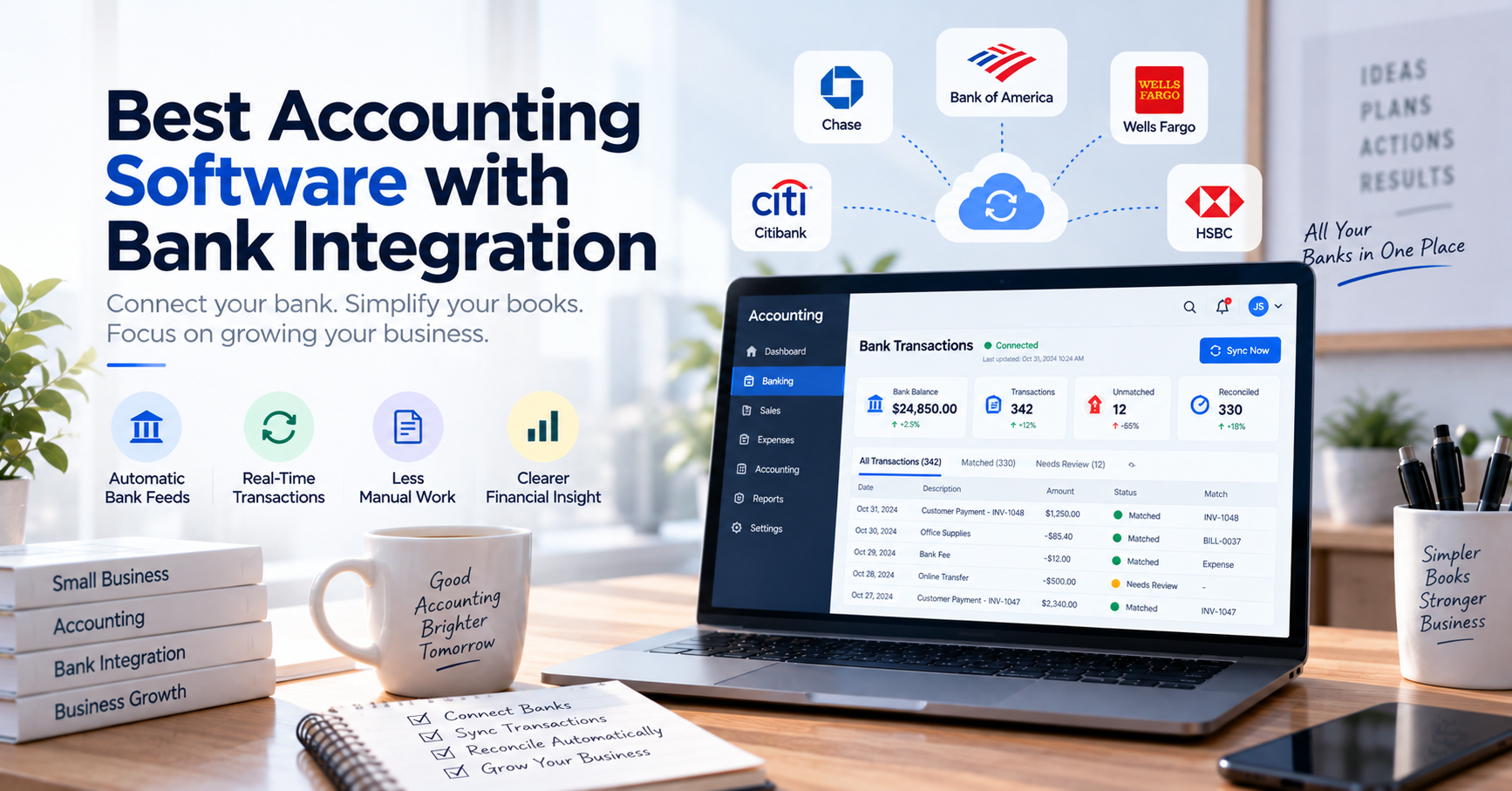
Best Accounting Software with Bank Integration
Accounting becomes much easier when your bank and your books can talk to each other.
Without bank integration, someone has to download statements, enter transactions manually, categorize expenses, search for customer payments, and repeatedly compare accounting records against the bank.
That process may be manageable when a business has 20 transactions a month.
It becomes much less attractive when there are 2,000.
Accounting software with bank integration helps close that gap by bringing bank transactions directly into the accounting workflow.
The best platforms can do more than simply import transactions. They can help categorize activity, match payments to invoices, identify possible duplicates, reconcile accounts, and give business owners a more current picture of cash flow.
In this guide, we’ll look at some of the best accounting software with bank integration, explain how bank feeds work, and help you determine which type of platform makes sense for your business.
What Is Accounting Software with Bank Integration?
Accounting software with bank integration connects your accounting system to one or more bank or credit-card accounts.
Once connected, transaction data can flow from the financial institution into the accounting software automatically.
Instead of manually entering:
- Customer deposits
- Supplier payments
- Bank charges
- Transfers
- Card expenses
- Subscription payments
the accounting system receives transaction information through a bank feed.
QuickBooks describes bank feeds as connections that automatically download bank transactions into accounting software. Xero similarly defines its bank feeds as automatic connections that import transactions from banks and supported payment providers.
This creates a workflow such as:
Bank Account
↓
Automatic Bank Feed
↓
Accounting Software
↓
Categorization / Matching
↓
Reconciliation
↓
Financial Reports
The result is less manual data entry and a shorter path between real bank activity and your accounting records.
Why Is Bank Integration Important?
Bank integration sounds like a convenience feature.
In practice, it can change how often a business updates its books.
Imagine that accounting information is entered manually once per month.
For most of the month, your accounting system may not reflect what is actually happening in your bank accounts.
With automatic transaction feeds, the gap between banking activity and accounting records can become much smaller.
That can improve several areas of financial management.
Less Manual Data Entry
Entering transactions manually is repetitive and creates opportunities for mistakes.
A connected bank feed can bring transaction data directly into the accounting platform, where the user primarily needs to categorize, confirm, or match it.
Faster Bank Reconciliation
Instead of comparing an entire bank statement manually at the end of the month, transactions can be reviewed throughout the accounting period.
Platforms including QuickBooks, Xero, Zoho Books, and Sage combine bank feeds with transaction matching or reconciliation functionality.
Better Cash Visibility
When transactions arrive in your accounting system regularly, financial reports can more closely reflect recent business activity.
This can help business owners answer questions such as:
- How much cash do we have?
- Which customers have paid?
- What expenses occurred this week?
- What transactions still need attention?
Easier Detection of Missing Transactions
If a transaction appears at the bank but not in your accounting records, the difference becomes visible during matching and reconciliation.
That may reveal:
- Missing expenses
- Unrecorded bank fees
- Duplicate entries
- Customer payments
- Unexpected transactions
Bank Integration Is Not the Same as Bank Reconciliation
This distinction is important.
Bank integration gets bank transaction data into your software.
Bank reconciliation verifies that your accounting records and bank records agree.
For example, your bank integration might import:
Customer payment — $2,500
Your accounting system may already contain:
Invoice #1058 — $2,500
The reconciliation or matching process connects those two records.
So a strong banking workflow requires more than simply connecting the bank.
Ideally, the software should also help you:
Import → Categorize → Match → Review → Reconcile
What Should You Look for?
Not all bank integrations work the same way.
Before selecting accounting software, consider the following features.
1. Automatic Bank Feeds
The basic requirement is the ability to automatically bring bank transactions into the accounting platform.
However, coverage varies significantly between countries and financial institutions.
QuickBooks explicitly notes that supported institutions can be added or removed over time and offers manual transaction uploads when a direct connection is unavailable.
Always verify your specific bank before subscribing.
2. Transaction Matching
Importing transactions solves only part of the problem.
Good accounting software should be able to compare imported banking activity against transactions already recorded in your books.
For example:
Bank
Customer payment
$1,200
Accounting
Invoice #1048
$1,200
The software should be able to suggest that those records belong together.
3. Bank Rules
Many transactions are repetitive.
Your business may pay:
- Office rent
- Web hosting
- Insurance
- Software subscriptions
- Utilities
Bank rules can automatically categorize or process transactions based on defined conditions.
For example:
If description contains “Cloud Hosting,” categorize as Hosting Expense.
Zoho Books supports custom bank rules that can categorize recurring activity and create accounting transactions, while Sage also supports rules for common bank-feed transactions.
4. Reconciliation Tools
A bank balance and an accounting balance can differ even when nothing is fundamentally wrong.
You may have:
- Transactions in transit
- Bank charges
- Unrecorded payments
- Timing differences
- Duplicate entries
Reconciliation tools help identify and explain those differences.
5. Multiple Bank Accounts
Many businesses eventually operate several accounts.
For example:
- Operating account
- Payroll account
- Savings account
- Credit card
- Additional bank accounts
If your company manages several accounts, check whether the software can bring them into one usable financial workflow.
6. Manual Import as a Backup
Bank feeds occasionally fail.
A bank may change its authentication system, require reauthorization, or temporarily interrupt connectivity.
For this reason, manual import is still useful.
Zoho Books, for example, supports several manual bank-statement formats alongside automatic feeds.
A good system should not leave your accounting process completely dependent on one connection.
Best Accounting Software with Bank Integration
There is no single best platform for every business.
The right choice depends on your country, banks, company size, accounting requirements, and transaction volume.
Here are several leading options worth considering.
1. QuickBooks Online
Best for: Small businesses wanting an established all-in-one accounting platform
QuickBooks Online is one of the most widely recognized cloud accounting platforms for small businesses.
Its banking functionality allows users to connect supported bank accounts so transactions can flow directly into QuickBooks.
The software can then use those transactions to assist with categorization, matching income with invoices, matching outgoing payments with expenses, and reconciliation.
Key strengths
- Automatic bank feeds
- Transaction categorization
- Invoice and payment matching
- Bank reconciliation
- Manual transaction imports when a feed is unavailable
- Broader invoicing, expense, and accounting functionality
Who is it best for?
QuickBooks is particularly practical for businesses that want one system covering general accounting rather than purchasing a separate application for each financial function.
What to consider
Bank-feed availability varies by institution and country.
Confirm that your actual bank is supported rather than assuming connectivity based on the QuickBooks brand.
2. Xero
Best for: Cloud-first businesses that prioritize bank reconciliation
Xero has built much of its accounting experience around the daily flow of bank transactions.
Supported bank accounts can connect to Xero and automatically send transactions into the accounting platform. Xero’s bank feeds can also receive information from supported payment providers such as Stripe and PayPal.
Once transactions arrive, users can reconcile them against accounting records.
Key strengths
- Automatic bank feeds
- Transaction matching
- Reconciliation-focused workflow
- Connections with supported payment providers
- Strong cloud accounting ecosystem
- Suitable for collaboration with accountants and bookkeepers
Who is it best for?
Xero is a strong choice for businesses that want reconciliation to become part of their regular accounting workflow instead of something performed only at month-end.
What to consider
As with every bank-feed system, availability depends on your bank, country, account type, and available connection.
3. Zoho Books
Best for: Businesses wanting flexible banking automation
Zoho Books offers a particularly comprehensive banking module.
Supported banks and credit-card accounts can be connected so transactions are periodically imported into the software.
The platform also provides intelligent matching, possible-match suggestions, bulk matching, custom bank rules, duplicate handling, reconciliation reports, and manual statement import.
That combination makes Zoho Books interesting for businesses that want more control over how imported transactions are processed.
Key strengths
- Automatic bank feeds
- Multiple bank and credit-card accounts
- Intelligent transaction matching
- Bulk matching
- Bank rules
- Duplicate identification
- Manual statement imports
- Reconciliation reports
Who is it best for?
Zoho Books can be particularly attractive to companies already using other products within the Zoho ecosystem.
It is also worth considering when transaction automation is an important part of the accounting workflow.
What to consider
Automatic feed availability depends on the bank and connectivity provider, and some institutions may require manual refresh or reauthorization.
4. Sage Accounting
Best for: Established small businesses and growing finance operations
Sage combines cloud accounting with bank feeds that automatically bring banking activity into the accounting system.
According to Sage, imported bank transactions can be matched against invoices, payments, and purchases, while custom rules can help categorize recurring activity.
Sage therefore provides a workflow that goes beyond simple statement import.
Key strengths
- Automatic bank feeds
- Invoice and payment matching
- Bank rules
- Reconciliation
- Multiple feed support in applicable versions
- Established accounting ecosystem
Who is it best for?
Sage may suit businesses that want traditional accounting capabilities combined with increasingly automated banking workflows.
What to consider
Sage offers several products and operates in multiple markets.
Bank-feed capabilities and supported institutions can therefore vary by product and region.
Quick Comparison
| Software | Best For | Automatic Bank Feeds | Transaction Matching | Bank Rules | Reconciliation |
|---|---|---|---|---|---|
| QuickBooks Online | General small-business accounting | Yes* | Yes | Yes* | Yes |
| Xero | Reconciliation-focused cloud accounting | Yes* | Yes | Yes | Yes |
| Zoho Books | Flexible banking automation | Yes* | Yes | Yes | Yes |
| Sage Accounting | Growing accounting requirements | Yes* | Yes | Yes | Yes |
*Bank and feature availability varies by country, financial institution, account type, and sometimes subscription plan.
That qualification matters more than it might appear.
A platform can have excellent bank integration overall but still be a poor choice for your business if it cannot connect reliably to the bank you actually use.
Which Accounting Software Has the Best Bank Integration?
There is no universal winner.
Think about the problem you are trying to solve.
Choose QuickBooks Online if:
You want a widely used general accounting platform where banking, invoicing, expenses, and bookkeeping live together.
Choose Xero if:
You want a cloud accounting workflow where frequent bank reconciliation is a central part of maintaining the books.
Choose Zoho Books if:
You value transaction rules, matching flexibility, reconciliation tools, and integration with a broader business-software ecosystem.
Choose Sage if:
You want an established accounting system that combines traditional bookkeeping with automated bank feeds and transaction matching.
What If Your Main Problem Isn’t Accounting?
This is an important question that software comparison articles often overlook.
Imagine your business already has accounting software.
Your real problem is something else:
You operate five bank accounts.
Hundreds of customers pay by bank transfer every day.
Employees repeatedly need to check:
“Has this customer paid?”
The problem may not be accounting.
The problem may be bank transaction visibility.
Purchasing another full accounting system may not solve it efficiently.
A more specialized transaction platform can sometimes complement your accounting software.
For example, a business could use:
Bank Accounts
↓
Central Transaction Management
↓
Accounting Software
Instead of requiring employees to log into multiple banking applications whenever they need to verify a payment.
This is the kind of workflow where a platform such as AutoBookBank can serve a different purpose from traditional accounting software.
The two categories do not necessarily compete.
One system may manage accounting.
Another may simplify day-to-day bank transaction monitoring.
Accounting Software vs. Bank Transaction Management Software
The distinction becomes clearer when comparing their purposes.
| Accounting Software | Bank Transaction Management |
|---|---|
| General ledger | Transaction visibility |
| Invoices | Payment verification |
| Expenses | Multi-account monitoring |
| Financial statements | Transaction search |
| Tax-related records | Operational payment checking |
| Bank reconciliation | Transaction workflow |
| Accounts receivable | Bank activity management |
A business may need one or both.
For example, a consulting company with one bank account and 80 monthly transactions may only need accounting software.
An e-commerce company receiving thousands of transfers across several accounts may benefit from both accounting software and dedicated transaction-management tools.
Direct Bank Feeds vs. Manual Bank Imports
Both approaches have advantages.
Automatic Bank Feeds
A direct feed reduces repetitive work.
Transactions move from:
Bank → Accounting Software
without employees repeatedly downloading statements.
This is generally the more convenient option.
Manual Imports
Manual statement imports are still useful when:
- Your bank is unsupported
- Bank feeds are temporarily unavailable
- Historical data needs to be imported
- You do not want a permanent connection
- A particular account type cannot connect
This is why manual imports should not automatically be considered outdated.
They are an important fallback.
Are Bank Integrations Real-Time?
Not necessarily.
The phrase “bank integration” can create the impression that every accounting application sees every bank transaction immediately.
That is not always true.
Depending on the bank and connection provider, feeds may update:
- Several times per day
- Daily
- After manual refresh
- After authentication
For example, Zoho notes that feed frequency and automatic retrieval can depend on the institution and authentication requirements, while Xero describes bank feeds as importing transactions regularly rather than implying that every connection operates in real time.
If real-time payment verification is important to your business, ask the vendor specifically about transaction-update frequency.
Questions to Ask Before Choosing Accounting Software
Before connecting your financial accounts to any platform, answer these questions.
Does It Support My Bank?
This should be your first question.
Do not begin with features.
Begin with compatibility.
How Often Are Transactions Updated?
Daily feeds may be perfectly adequate for accounting.
They may not be adequate for a business that needs to confirm customer payments within minutes.
What Happens If the Bank Connection Stops Working?
Can you:
- Refresh the connection?
- Reauthorize it?
- Import a statement manually?
- Continue working without losing data?
How Are Transactions Matched?
Find out whether matching considers:
- Amount
- Date
- Reference
- Customer
- Supplier
- Invoice
- Transaction history
Can I Create Bank Rules?
Rules can dramatically reduce repetitive categorization.
This is especially useful for recurring expenses.
Can I Manage Multiple Accounts?
Ask how additional bank and credit-card accounts affect both usability and pricing.
Can I Undo Incorrect Matches?
Automation makes mistakes.
You should always understand how to review and reverse a transaction decision.
Can I Export My Data?
Your financial data should not be trapped inside one platform.
Check whether useful export options are available.
Example: How Bank Integration Saves Time
Consider a small company processing 1,500 transactions per month.
Without integration, an employee might:
- Download the bank statement.
- Open accounting software.
- Enter transactions.
- Categorize each transaction.
- Find related invoices.
- Mark payments.
- Reconcile the account.
Suppose the first three steps require an average of only 20 seconds per transaction.
That alone equals:
1,500 × 20 seconds = 30,000 seconds
or more than 8 hours per month.
With a bank feed, transaction collection and much of the data entry disappear.
The employee can instead focus on:
- Confirming categories
- Reviewing suggested matches
- Investigating exceptions
- Completing reconciliation
That is the real value of bank integration.
It does not simply move financial data.
It changes what employees spend their time doing.
Is Accounting Software with Bank Integration Safe?
Connecting accounting software to a bank understandably raises security questions.
The exact connection method varies according to region, financial institution, software provider, and data aggregator.
Modern bank-feed integrations may use direct banking connections, open-banking frameworks, or third-party providers.
Sage, for example, explains that its bank feeds can connect either directly or through providers such as Plaid depending on the institution.
Businesses should evaluate:
- Access permissions
- Authentication
- Encryption
- User roles
- Account security
- Provider reputation
- Connection method
You should also control who inside your organization can access financial information.
Convenient access should not mean unlimited access.
Frequently Asked Questions
What accounting software connects to bank accounts?
Popular cloud accounting platforms including QuickBooks Online, Xero, Zoho Books, and Sage Accounting support bank connections for compatible financial institutions.
Supported banks vary by country and provider, so businesses should verify their specific bank before purchasing software.
What is a bank feed in accounting software?
A bank feed is a connection that brings transaction information from a bank account into accounting software.
This reduces the need to manually enter every bank transaction.
Does connecting a bank automatically reconcile transactions?
No.
The connection imports transaction data.
Reconciliation is the process of comparing that banking activity against your accounting records and resolving differences.
Some accounting platforms automate parts of this matching and reconciliation workflow.
Can accounting software connect to multiple banks?
Many modern accounting systems support multiple bank and credit-card connections, although limits and availability can depend on the platform, plan, institution, and region.
What happens if my bank is not supported?
Many platforms allow bank statements to be uploaded manually.
QuickBooks explicitly provides manual transaction uploads when a bank feed is unavailable, while Zoho Books supports manual imports in several statement formats.
Do bank feeds update in real time?
Not always.
Update frequency depends on the financial institution, accounting platform, connection method, and authentication requirements.
If immediate payment confirmation is essential, verify update frequency before selecting a solution.
Final Thoughts
The best accounting software with bank integration should do more than import transactions.
A good system should help turn those transactions into usable accounting information.
That means:
Connect the bank.
Import transactions.
Categorize activity.
Match payments and expenses.
Identify exceptions.
Reconcile the account.
QuickBooks Online can be a practical choice for general small-business accounting.
Xero is particularly strong when reconciliation is central to the accounting workflow.
Zoho Books provides flexible transaction matching, rules, and banking automation.
Sage combines established accounting functionality with automatic bank feeds and matching.
But remember one important distinction:
If your biggest problem is bookkeeping, choose better accounting software.
If your biggest problem is repeatedly searching several bank accounts and verifying customer transfers, you may need better bank transaction management instead.
Those are different problems—and sometimes the best financial technology setup is not one piece of software trying to do everything.
It is a small number of systems, each doing its job well.