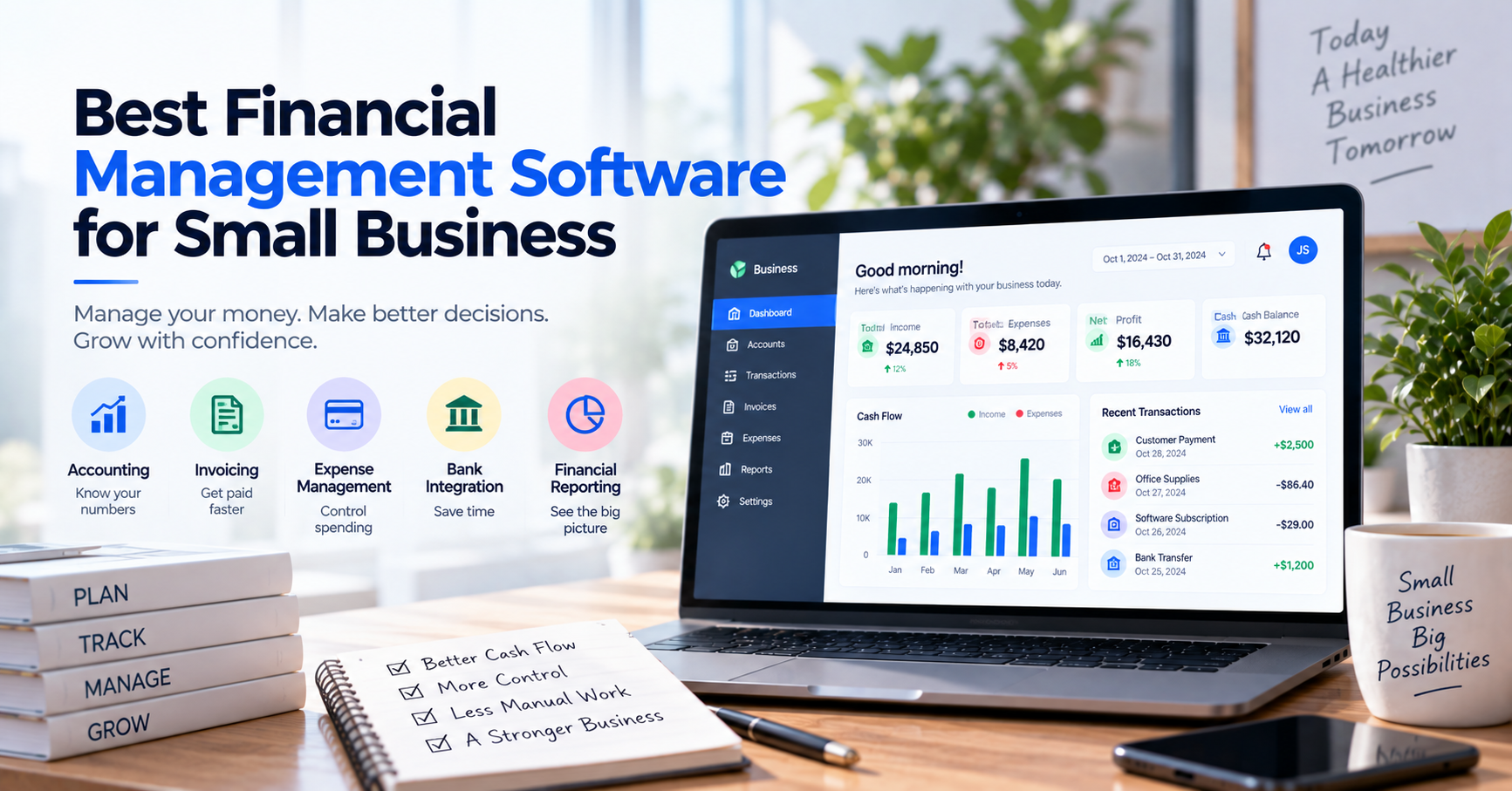
Best Financial Management Software for Small Business
Running a small business becomes much harder when financial information is scattered across different places.
Sales are in one system.
Invoices are somewhere else.
Bank transactions are checked through several banking apps.
Expenses live in spreadsheets.
And when the owner wants to know a seemingly simple number—“How much money do we actually have?”—someone has to put everything together manually.
Financial management software is designed to reduce that problem.
The right platform can help a small business manage accounting, cash flow, invoices, expenses, payments, bank transactions, and financial reporting with less manual work.
But there is no single “best” financial management platform for every small business.
A five-person consulting company does not have the same requirements as an online retailer processing thousands of payments.
In this guide, we’ll compare some of the best financial management software for small businesses and, more importantly, explain how to choose the right type of system for your company.
What Is Financial Management Software?
Financial management software helps businesses organize, monitor, and control their financial activities.
Depending on the platform, this can include:
- Accounting
- Invoicing
- Expense tracking
- Accounts receivable
- Accounts payable
- Bank transactions
- Bank reconciliation
- Cash-flow monitoring
- Budgeting
- Financial reporting
- Payment tracking
- Tax-related records
Some products provide most of these functions in one platform.
Others specialize in one part of financial management.
This distinction matters.
Financial management software does not have to mean one enormous system that does everything.
For many small businesses, the best financial technology setup is a small collection of well-integrated tools.
Why Small Businesses Need Financial Management Software
When a company is new, simple financial processes can work surprisingly well.
Perhaps the owner creates invoices manually, records expenses in Excel, and checks the bank account every few days.
There is nothing inherently wrong with that.
The problem appears when the business grows but the financial process does not.
Suppose you now have:
- 500 customer payments per month
- 200 supplier expenses
- Three bank accounts
- Five employees
- Recurring subscriptions
- Outstanding invoices
- Monthly tax obligations
The owner can no longer remember every transaction.
That is the point where financial management becomes a system rather than a personal habit.
Good software can help a small business create that system.
What Should Financial Management Software Help You Do?
Before comparing products, think about the financial questions you need to answer.
A useful system should help you understand things such as:
How much cash do we have?
Who owes us money?
What bills do we need to pay?
Where is our money being spent?
Which customers have paid?
Are our bank records accurate?
Are we profitable?
How is cash flow changing?
If your software has dozens of features but cannot answer the questions that matter to your business, it is not the right system.
The Most Important Features for Small Businesses
Different companies have different requirements, but these features deserve particular attention.
1. Accounting
For many businesses, accounting is the foundation of financial management.
Your software should help maintain accurate records of:
- Revenue
- Expenses
- Assets
- Liabilities
- Equity
It should also provide essential reports such as:
- Profit and loss
- Balance sheet
- Cash-flow reports
Even if you work with an external accountant, maintaining organized accounting records throughout the year can make financial reporting and tax preparation much easier.
2. Invoicing
If customers pay after receiving a bill, invoicing is essential.
Good invoicing functionality should help you:
- Create invoices
- Send invoices
- Track due dates
- Record payments
- Identify overdue invoices
- Manage customer balances
Some platforms also support recurring invoices and automated reminders.
For service businesses, this may be one of the most frequently used parts of the entire financial system.
3. Expense Management
Small expenses add up quickly.
Software should make it easy to understand where money is going.
Useful capabilities include:
- Expense categorization
- Receipt attachment
- Recurring expense tracking
- Supplier records
- Employee expenses
- Expense reporting
The goal is not simply to record expenses for accounting purposes.
It is also to understand spending patterns.
4. Bank Integration
Bank integration can significantly reduce manual financial work.
Instead of repeatedly downloading statements, supported bank transactions can flow into accounting software automatically.
Those transactions can then be:
- Categorized
- Matched
- Reviewed
- Reconciled
This creates a much more efficient workflow:
Bank → Financial Software → Match → Review → Reconcile
However, bank connectivity varies by country and financial institution.
Always verify that your actual bank is supported before purchasing software.
5. Bank Reconciliation
Bank integration and bank reconciliation are related but different.
Integration brings transactions into the system.
Reconciliation confirms that the transactions in your financial records agree with the bank.
A good reconciliation workflow can help identify:
- Missing transactions
- Duplicate entries
- Incorrect amounts
- Unrecorded bank fees
- Timing differences
- Unidentified payments
For businesses processing large numbers of transactions, automatic matching can save considerable time.
6. Cash-Flow Visibility
Profit does not necessarily mean cash.
A business can be profitable on paper while struggling to pay bills because customers have not paid their invoices yet.
Good financial software should make it easier to understand:
- Current cash position
- Incoming payments
- Upcoming expenses
- Outstanding invoices
- Overdue receivables
For many small-business owners, this information is more useful day to day than complex accounting metrics.
7. Financial Reporting
You should not need to reconstruct your business finances manually every time you want a report.
At minimum, consider whether the platform provides useful access to:
- Profit and loss
- Balance sheet
- Cash flow
- Accounts receivable
- Accounts payable
- Expense reports
- Tax information
Reports should also be understandable.
A sophisticated report that the business owner never uses has limited value.
8. Multiple Users and Permissions
Financial management eventually becomes a team activity.
You may have:
- Owner
- Accountant
- Bookkeeper
- Finance employee
- Operations employee
They should not necessarily have identical access.
For example, a customer-service employee might need to confirm a payment without being allowed to modify accounting records.
Look for role-based permissions when multiple employees will use the system.
9. Integrations
Financial information often comes from other systems.
Your software may need to work with:
- Banks
- Payment gateways
- E-commerce platforms
- Payroll systems
- CRM software
- Expense applications
- Inventory systems
- Tax software
Before choosing a platform, map your existing software stack.
Replacing manual data entry with manual copying between applications is not much of an improvement.
Best Financial Management Software for Small Business
There is no universal winner.
The products below are useful for different reasons.
1. QuickBooks Online
Best for: Small businesses wanting an established all-in-one accounting platform
QuickBooks Online is one of the most widely recognized accounting platforms for small businesses.
It combines accounting with features such as invoicing, expense management, financial reporting, and bank transaction management.
For businesses wanting to keep most financial activities inside one familiar ecosystem, QuickBooks can be a practical choice.
Key strengths
- General accounting
- Invoicing
- Expense tracking
- Bank feeds
- Bank reconciliation
- Financial reports
- Large accounting ecosystem
- Accountant collaboration
Why small businesses may like it
QuickBooks covers many of the financial tasks a typical small business encounters without requiring an enterprise financial system.
It can work particularly well when the company’s accountant or bookkeeper already uses QuickBooks.
What to consider
Feature availability and pricing vary between plans and countries.
Businesses should also verify bank connectivity for their specific financial institutions.
Best choice when:
You want a mainstream accounting platform capable of handling most everyday small-business financial management.
2. Xero
Best for: Cloud-first businesses that value accounting automation
Xero is another strong cloud accounting platform built around small-business financial workflows.
It combines accounting, invoicing, bank feeds, reconciliation, reporting, and integrations with a large ecosystem of third-party applications.
Bank reconciliation is particularly central to the Xero experience.
Transactions from connected accounts can be compared with accounting records, while matching suggestions and bank rules help reduce repetitive work.
Key strengths
- Cloud accounting
- Invoicing
- Bank feeds
- Bank reconciliation
- Transaction matching
- Bank rules
- Financial reporting
- Broad integration ecosystem
Why small businesses may like it
Xero’s interface and workflow are well suited to businesses that want accounting information updated regularly rather than treating bookkeeping as a month-end exercise.
What to consider
Bank connectivity depends on the country and financial institution.
Some functionality may also vary according to the selected plan.
Best choice when:
You want modern cloud accounting with strong bank reconciliation and automation capabilities.
3. Zoho Books
Best for: Small businesses wanting financial automation and a broader business ecosystem
Zoho Books provides accounting functionality alongside invoicing, expenses, banking, reconciliation, reporting, and automation tools.
One of its biggest advantages is its relationship with the wider Zoho ecosystem.
A business using Zoho for customer relationship management, expenses, inventory, or other operations may find it convenient to keep financial processes within the same environment.
Key strengths
- Accounting
- Invoicing
- Expense management
- Bank feeds
- Transaction matching
- Bank rules
- Reconciliation
- Financial reports
- Workflow automation
- Integration with other Zoho applications
Why small businesses may like it
Zoho Books offers substantial functionality without necessarily requiring an enterprise financial platform.
Its automation tools can be particularly useful for repetitive financial workflows.
What to consider
Bank-feed availability varies by region and financial institution.
Companies should also consider whether they want to adopt the wider Zoho ecosystem or only use the accounting product.
Best choice when:
You value automation and want financial management to integrate with other business applications.
4. Sage Accounting
Best for: Established businesses that expect their accounting requirements to grow
Sage has a long history in business accounting and offers financial products for companies of different sizes.
Its small-business accounting solutions can cover invoicing, expense management, banking, reconciliation, and financial reporting.
Key strengths
- Established accounting platform
- Invoicing
- Expense tracking
- Bank feeds
- Transaction matching
- Reconciliation
- Reporting
- Broader financial products for growing businesses
Why small businesses may like it
Sage may appeal to companies that want a traditional accounting foundation but also want cloud-based automation and banking capabilities.
What to consider
Sage has multiple products and operates in different markets.
Make sure you evaluate the exact Sage product available in your country rather than assuming every version has identical functionality.
Best choice when:
You want an established accounting ecosystem with room for more sophisticated financial management as the company grows.
5. FreshBooks
Best for: Freelancers and service-based small businesses
Not every small business needs sophisticated accounting.
A freelancer, consultant, agency, or small professional-services company may care more about:
- Creating invoices quickly
- Tracking billable work
- Recording expenses
- Getting paid
- Understanding profitability
FreshBooks is designed particularly well around these types of workflows.
Key strengths
- Easy invoicing
- Expense tracking
- Client management
- Time tracking
- Online payment functionality
- Financial reports
- User-friendly interface
Why small businesses may like it
FreshBooks can be easier to approach for business owners who do not want to spend their time learning accounting software.
Its client- and invoice-oriented workflow is particularly relevant to service businesses.
What to consider
A company with complicated accounting, large transaction volumes, inventory, or advanced financial controls may eventually require a broader platform.
Best choice when:
Your business primarily sells professional services and invoicing is at the center of your financial workflow.
6. Wave
Best for: Very small businesses with relatively simple financial requirements
Some businesses do not need a large financial management platform at all.
A sole proprietor or very small company may simply need:
- Basic accounting
- Invoicing
- Expense records
- Simple financial reports
Wave has historically focused on making accounting approachable for small businesses and independent operators.
Key strengths
- Straightforward accounting
- Invoicing
- Expense management
- Small-business focus
- Relatively simple interface
Why small businesses may like it
The simplicity can be an advantage.
There is little value in paying for sophisticated financial infrastructure when the company processes a small number of straightforward transactions.
What to consider
Businesses should evaluate current feature and regional availability carefully, particularly for banking and payment functionality.
As the business becomes more complicated, a more comprehensive accounting platform may be necessary.
Best choice when:
Your financial requirements are simple and ease of use matters more than advanced automation.
7. AutoBookBank
Best for: Businesses that need better visibility across multiple bank accounts and transactions
AutoBookBank belongs to a somewhat different category.
It should not automatically be viewed as a replacement for full accounting software such as QuickBooks, Xero, Zoho Books, or Sage.
Instead, its value becomes clearer when a company’s financial-management problem is operational.
Imagine a business with several bank accounts receiving hundreds or thousands of customer transfers.
Employees repeatedly need to determine:
“Has this customer paid?”
The company may already have perfectly adequate accounting software.
The problem is that employees still need to search multiple banking applications to verify payments.
A centralized bank transaction management platform can help simplify that process.
Key strengths
Depending on the business workflow, AutoBookBank can help with:
- Centralized bank transaction visibility
- Multiple bank accounts
- Transaction searching
- Payment verification
- Transaction status management
- User access
- Transaction organization
- Data exports
Why small businesses may like it
For businesses where bank transfers are operationally important, transaction visibility can be just as important as accounting.
Instead of:
Employee → Bank A
Employee → Bank B
Employee → Bank C
the workflow becomes:
Multiple Banks → Central Transaction View → Employee
This can reduce the amount of time employees spend repeatedly checking bank accounts.
What to consider
AutoBookBank is not intended to replace every part of accounting.
Businesses may still use separate accounting software for:
- General ledger
- Financial statements
- Tax accounting
- Accounts payable
- Formal bookkeeping
The systems can complement each other.
Best choice when:
Your biggest financial-management bottleneck is monitoring bank transactions and verifying incoming transfers rather than general accounting.
Quick Comparison
| Software | Best For | Accounting | Invoicing | Bank Management | Reconciliation |
|---|---|---|---|---|---|
| QuickBooks Online | General small businesses | Strong | Strong | Strong | Strong |
| Xero | Cloud accounting & automation | Strong | Strong | Strong | Strong |
| Zoho Books | Automation & Zoho ecosystem | Strong | Strong | Strong | Strong |
| Sage Accounting | Growing finance requirements | Strong | Strong | Strong | Strong |
| FreshBooks | Freelancers & service businesses | Moderate | Strong | Moderate | Moderate |
| Wave | Very small businesses | Basic–Moderate | Strong | Varies | Varies |
| AutoBookBank | Bank transaction visibility | Specialized | No | Strong | Transaction-focused |
The table illustrates something important:
The best financial software depends on the financial problem you are trying to solve.
Which Financial Management Software Is Best for Your Business?
Instead of choosing software based on popularity, begin with your workflow.
Choose QuickBooks Online if:
You want a widely used accounting platform that covers most everyday financial tasks.
Choose Xero if:
You value cloud accounting, bank reconciliation, and financial automation.
Choose Zoho Books if:
You want accounting automation and potentially use other Zoho business applications.
Choose Sage if:
You want established accounting functionality that can support more complex financial operations as your business grows.
Choose FreshBooks if:
You operate a service business where clients, time tracking, expenses, and invoices are the center of financial management.
Consider Wave if:
Your business is very small and your financial requirements remain relatively simple.
Consider AutoBookBank if:
You already have accounting software but spend too much time monitoring several bank accounts or confirming customer transfers.
Do You Need One Financial Platform or Several?
The idea of one application doing everything sounds attractive.
In practice, specialization can sometimes produce a better workflow.
Consider an e-commerce business.
It might use:
E-commerce Platform
for orders.
↓
Payment Gateway
for card payments.
↓
AutoBookBank
for bank transaction monitoring.
↓
Accounting Software
for bookkeeping and financial statements.
This is not necessarily inefficient.
It becomes inefficient only when employees manually transfer information between systems.
The goal should therefore be:
Integrated systems, not necessarily one system.
Accounting Software vs. Financial Management Software
These terms are often used interchangeably, but financial management can be broader than accounting.
Accounting software focuses primarily on recording and reporting financial transactions.
Financial management includes using that information to manage the business.
For example:
| Accounting | Financial Management |
|---|---|
| Record revenue | Understand revenue trends |
| Record expenses | Control spending |
| Create invoices | Improve collections |
| Reconcile bank | Monitor cash |
| Produce reports | Make financial decisions |
Good accounting records are the foundation.
Financial management is what you do with them.
How Much Should a Small Business Pay?
Price should matter, but it should not be the first criterion.
Suppose Software A costs $20 per month.
Software B costs $80.
At first glance, Software A appears cheaper.
But suppose Software A requires your employee to spend six additional hours every month manually processing financial data.
If that employee’s effective cost is $25 per hour:
6 hours × $25 = $150 per month
The cheaper software may actually be costing the business more.
When evaluating software, consider:
Subscription Cost + Implementation + Manual Work + Errors + Administration
This is a much better measure than subscription price alone.
When Should You Upgrade Your Financial Software?
You probably do not need to upgrade simply because your business has reached a particular age.
Look for operational signals.
Consider upgrading when:
- Financial reports take too long to prepare
- Employees maintain duplicate spreadsheets
- Bank reconciliation is regularly delayed
- Customer payments are difficult to find
- Several people need financial access
- Manual data entry is consuming significant time
- Errors are becoming more frequent
- You operate multiple bank accounts
- Month-end closing is becoming painful
- Existing software no longer integrates with your other systems
Software should solve an existing problem.
Do not create complexity merely because a more sophisticated product exists.
A Practical Example
Consider two small businesses.
Business A: Marketing Agency
The agency has:
- 12 employees
- 40 clients
- 80 invoices per month
- One primary bank account
- Mostly recurring expenses
Its biggest requirements are:
- Invoicing
- Expense tracking
- Accounts receivable
- Profitability reporting
A mainstream accounting platform may handle nearly everything the company needs.
Business B: Online Retailer
The retailer has:
- 15 employees
- 2,500 customer payments per month
- Four bank accounts
- Card payments
- Bank transfers
- Refunds
- High transaction volume
Its accounting requirements may not be dramatically more complicated than Business A.
But its transaction operations are much more complicated.
The retailer may benefit from accounting software plus specialized payment or bank transaction tools.
Same company size.
Completely different financial-management requirements.
This is why choosing software based only on employee count is a mistake.
Common Mistakes When Choosing Financial Management Software
Buying Too Much Software
Enterprise features can look impressive during a demonstration.
If your employees never use them, they provide no value.
Choose software for the business you actually operate.
Choosing Based Only on Price
The cheapest subscription can become expensive if it creates manual work.
Consider total operational cost.
Ignoring Bank Compatibility
Never assume “bank integration” means your bank is supported.
Verify the exact institution and account type.
Ignoring Employee Workflow
Owners often select software based on reports.
Employees experience the transaction workflow every day.
Both matter.
Trying to Automate Everything
Not every financial decision should be automatic.
Automation works best for predictable, repetitive transactions.
Exceptions should remain visible for human review.
Keeping Too Many Spreadsheets
Spreadsheets are useful.
But when several employees maintain different versions of the same financial information, errors become difficult to avoid.
Use spreadsheets intentionally rather than as permanent bridges between disconnected systems.
How to Choose: A Simple 7-Step Process
Before subscribing to anything, follow this process.
Step 1: Identify Your Biggest Financial Bottleneck
Is it:
- Accounting?
- Invoicing?
- Cash flow?
- Expenses?
- Bank reconciliation?
- Payment verification?
- Reporting?
Solve the biggest problem first.
Step 2: Count Your Transactions
A company processing 100 transactions monthly has very different requirements from one processing 20,000.
Transaction volume often matters more than employee count.
Step 3: List Your Banks and Payment Methods
Include:
- Bank accounts
- Credit cards
- Payment gateways
- Marketplaces
- Digital wallets
Check compatibility with each software provider.
Step 4: Map Your Existing Software
Document where financial data currently lives.
Avoid creating unnecessary duplicate systems.
Step 5: Identify Manual Work
For one week, measure how much time employees spend:
- Entering transactions
- Checking banks
- Matching payments
- Preparing reports
- Updating spreadsheets
This reveals the real cost of your current process.
Step 6: Test With Real Data
Do not evaluate financial software only using demonstration transactions.
Test:
- Duplicate payments
- Partial payments
- Refunds
- Bank fees
- Missing references
- Multiple accounts
Real-world exceptions reveal much more than a polished product demonstration.
Step 7: Calculate the Return
Estimate:
Current Monthly Manual Cost
versus
Software + Remaining Manual Cost
Software does not need to eliminate every task to provide a good return.
It only needs to save more value than it costs.
Frequently Asked Questions
What is the best financial management software for small businesses?
There is no single best platform for every small business.
QuickBooks Online is a strong general-purpose option. Xero is particularly useful for cloud accounting and reconciliation. Zoho Books provides extensive automation and integration with the Zoho ecosystem, while Sage can suit businesses expecting more sophisticated accounting requirements.
FreshBooks can be a good fit for service businesses, while very small companies with simple requirements may consider Wave.
Businesses primarily struggling with multi-bank transaction monitoring may also consider specialized platforms such as AutoBookBank alongside their accounting software.
What is financial management software used for?
Financial management software helps businesses organize and control financial activities such as accounting, invoicing, expenses, banking, reconciliation, cash flow, and reporting.
The exact functionality depends on the platform.
Do small businesses need financial management software?
Not every business needs sophisticated software.
A very small company with few transactions may manage successfully with simple accounting tools and spreadsheets.
Software becomes more valuable as transaction volume, employee count, financial complexity, and reporting requirements increase.
What is the difference between accounting software and financial management software?
Accounting software primarily records and reports financial transactions.
Financial management is broader and may include accounting plus cash-flow management, payment monitoring, budgeting, financial analysis, bank transaction management, and operational financial controls.
Can financial management software connect to bank accounts?
Many cloud accounting platforms support bank feeds for compatible financial institutions.
Availability depends on the software provider, country, bank, and account type.
Always verify your actual financial institution before subscribing.
Can one financial management platform handle everything?
Sometimes, but it is not always the best approach.
A small business may use accounting software together with specialized applications for payroll, payments, expenses, bank transaction monitoring, or e-commerce.
The important consideration is whether the systems work together efficiently.
When should a business stop using spreadsheets?
There is no fixed transaction threshold.
Consider moving processes away from spreadsheets when maintaining them requires significant manual work, several employees edit financial information, errors become frequent, or the business needs better automation, permissions, and auditability.
Final Thoughts
Choosing financial management software should not begin with a list of products.
It should begin with your business.
Ask:
Where does our financial information live?
Which financial task consumes the most employee time?
Where do mistakes happen?
Which information do we struggle to obtain quickly?
Then choose technology that solves those problems.
QuickBooks, Xero, Zoho Books, Sage, FreshBooks, and Wave each serve different types of small businesses.
Specialized tools can solve additional operational problems that general accounting platforms were not designed to prioritize.
The best financial-management setup may therefore be one comprehensive platform—or several focused systems working together.
What matters is the result:
Accurate financial information, less repetitive work, better visibility into cash, and more time to make decisions that actually grow the business.