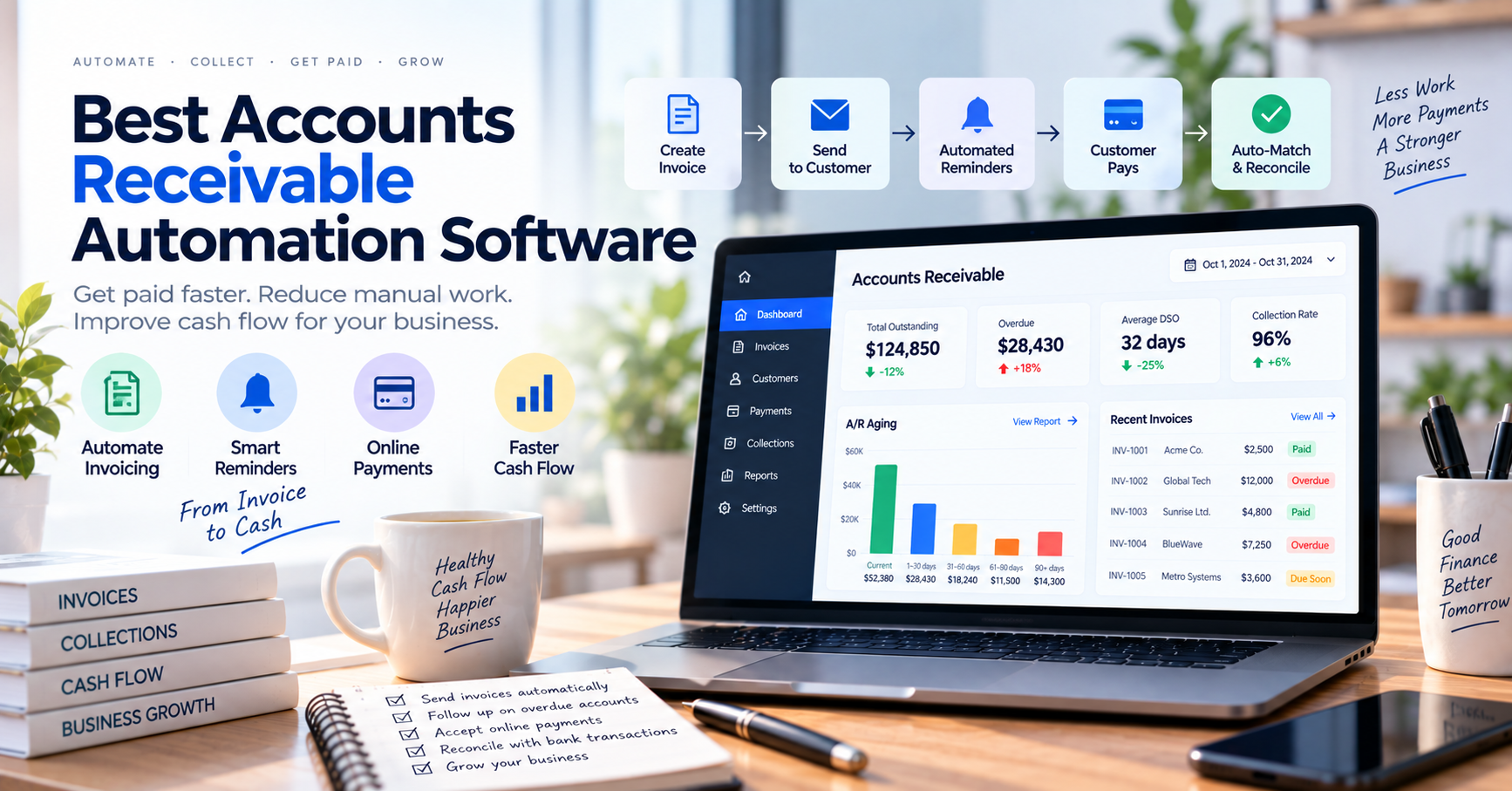
Best Accounts Receivable Automation Software: A Practical Guide for Finance Teams
Accounts receivable usually becomes difficult gradually.
At first, a business may only have a handful of invoices to follow up each month. Someone sends an invoice, waits for payment, checks the bank account, and updates the accounting system.
Then the company grows.
There are hundreds—or thousands—of outstanding invoices.
Customers pay through different methods.
Some payments cover several invoices.
Others arrive without useful references.
Employees spend hours sending reminders, searching bank transactions, applying payments, resolving disputes, and updating spreadsheets.
At that point, accounts receivable stops being a simple accounting task.
It becomes an operational workflow.
Accounts receivable automation software is designed to make that workflow faster, more consistent, and easier to control.
The best platforms can automate much more than invoice reminders. Modern AR systems may handle digital invoicing, collections, payment acceptance, cash application, customer portals, dispute management, reporting, reconciliation, and increasingly AI-assisted decision-making.
But not every business needs an enterprise AR platform.
In this guide, we’ll compare some of the best accounts receivable automation software available in 2026 and explain how to choose the right level of automation for your organization.
What Is Accounts Receivable Automation Software?
Accounts receivable automation software helps businesses automate repetitive tasks involved in collecting and processing money owed by customers.
A traditional AR workflow might look like this:
Create invoice
↓
Email customer
↓
Wait
↓
Send reminder
↓
Receive payment
↓
Search for payment
↓
Match payment to invoice
↓
Update accounting system
↓
Reconcile records
AR automation can reduce manual work at several of these stages.
A more automated workflow might look like:
Invoice created
↓
Invoice delivered automatically
↓
Payment reminders triggered automatically
↓
Customer pays through self-service portal
↓
Payment captured
↓
Payment automatically matched to invoice
↓
Accounting/ERP updated
↓
Exceptions sent for review
The objective is not simply to send invoices faster.
It is to shorten and simplify the entire invoice-to-cash process.
Modern AR automation platforms increasingly cover invoicing, collections, payments, cash application, and reconciliation as connected functions rather than separate tasks.
Why Automate Accounts Receivable?
Accounts receivable has a direct relationship with cash flow.
Revenue that has been invoiced but not collected is still money the business cannot use.
When AR processes are heavily manual, several problems appear.
Employees Spend Too Much Time Chasing Payments
Someone has to determine:
- Which invoices are overdue
- Which customers should be contacted
- When reminders should be sent
- What was promised during the previous conversation
- Whether a payment has arrived
That process becomes expensive as invoice volume increases.
Automation can trigger reminders and collection workflows according to rules rather than requiring employees to review every account manually.
Payments Are Difficult to Match
Receiving money is only part of the job.
The business still needs to determine what the payment belongs to.
For example:
Bank deposit: $15,500
The customer may have paid:
Invoice #2001 — $5,000
Invoice #2012 — $4,500
Invoice #2020 — $6,000
The AR team needs to understand:
$15,500 payment = three invoices
This process is known as cash application.
Modern AR systems can use transaction information, remittance data, automation, and AI to help match payments with outstanding invoices. Versapay, for example, describes its cash-application functionality as using AI and machine learning to match incoming payments to open invoices.
Collections Are Inconsistent
Without standardized processes, collections often depend on whoever happens to be managing an account.
One customer receives a reminder after seven days.
Another receives one after thirty.
A third is forgotten completely.
Automation makes collection processes more consistent.
Cash Flow Becomes Harder to Predict
If a company does not have a clear view of:
- Outstanding invoices
- Payment behavior
- Customer risk
- Promised payment dates
- Disputes
- Collection activity
cash forecasting becomes more difficult.
This is one reason modern AR platforms increasingly include analytics and forecasting rather than focusing only on invoicing.
What Can Accounts Receivable Automation Software Automate?
The best systems cover several stages of the AR lifecycle.
1. Invoice Delivery
Instead of manually emailing invoices, software can automatically deliver invoices according to predefined workflows.
More sophisticated platforms may support:
- Email delivery
- Customer portals
- Electronic invoicing
- Recurring invoices
- ERP-generated invoices
2. Payment Reminders
Automated reminders are one of the simplest AR improvements.
For example:
7 days before due date
Friendly reminder.
Due date
Payment notice.
7 days overdue
Follow-up.
30 days overdue
Escalation.
QuickBooks Online Advanced supports workflows that automate tasks such as payment reminders, while Zoho Books supports automated payment reminders and workflow-triggered customer communications.
3. Collections Prioritization
Not every overdue customer deserves equal attention.
A $100 invoice that is two days late may not be as important as a $50,000 account that has stopped responding.
Advanced AR software can help prioritize accounts based on factors such as:
- Amount outstanding
- Days overdue
- Customer payment history
- Risk
- Previous collection activity
- Predicted payment behavior
This helps collectors focus on accounts where their time can have the greatest impact.
4. Customer Payment Portals
A self-service portal can allow customers to:
- View invoices
- Download documents
- See balances
- Make payments
- Manage payment methods
- Review account history
- Raise or discuss disputes
This reduces the number of routine questions sent to the AR team.
Versapay, for example, provides a customer portal alongside digital invoicing and payment functionality.
5. Payment Processing
Some AR platforms include integrated payment capabilities.
That can allow customers to pay through methods such as:
- ACH
- Credit cards
- Bank transfers
- Other supported electronic methods
Bringing payments into the same AR environment can reduce the number of disconnected systems involved in the invoice-to-cash process.
6. Cash Application
Cash application answers:
Which payment belongs to which invoice?
This becomes one of the biggest automation opportunities at higher transaction volumes.
A good cash-application system can help process:
One payment → One invoice
One payment → Multiple invoices
Multiple payments → One invoice
Payment with deductions
Payment with incomplete reference information
When a confident match cannot be made, the transaction should become an exception for human review.
7. Reconciliation
Once payments have been identified and applied, financial records still need to reconcile.
AR automation can help connect:
Invoice
↓
Payment
↓
Cash application
↓
Bank transaction
↓
Accounting / ERP
This can reduce manual reconciliation at month-end.
8. Reporting and Forecasting
Useful AR metrics include:
- Accounts receivable balance
- Aging
- Days Sales Outstanding (DSO)
- Overdue invoices
- Collection effectiveness
- Payment behavior
- Cash application status
- Dispute volume
Modern platforms increasingly combine these metrics with predictive or AI-assisted analysis.
The Best Accounts Receivable Automation Software
There is no single platform that is best for every company.
A small business sending 100 invoices per month has very different needs from a multinational enterprise processing millions of payments.
The following products represent several strong options across different levels of complexity.
1. Billtrust
Best for: Mid-market and enterprise B2B accounts receivable automation
Billtrust is one of the more established purpose-built accounts receivable automation platforms.
Its approach goes well beyond automated payment reminders.
Billtrust positions its platform around the broader B2B invoice-to-cash lifecycle, including areas such as:
- Invoicing
- Payments
- Collections
- Cash application
- Credit
- AR analytics
Its current 2026 platform messaging places significant emphasis on AI and agentic automation across AR workflows.
Strengths
- Broad AR lifecycle coverage
- Digital invoicing
- Payments
- Collections automation
- Cash application
- Credit functionality
- AI-driven workflow capabilities
- Suitable for complex B2B environments
Best fit
Billtrust is likely to make more sense for companies where accounts receivable is a substantial finance operation rather than a small bookkeeping function.
What to consider
The breadth of the platform may be unnecessary for very small businesses.
Implementation requirements, ERP compatibility, pricing, transaction complexity, and total cost should be evaluated carefully.
Particularly useful when:
Your company wants to consolidate several AR functions into a purpose-built enterprise platform.
2. HighRadius
Best for: Large and mid-market organizations with complex AR processes
HighRadius is another major enterprise-focused AR automation platform.
Its current accounts receivable suite spans areas including:
- Credit
- Electronic invoicing
- Collections
- Cash application
- Deductions
- Payments
- AR forecasting
HighRadius currently emphasizes agentic AI across these workflows and states that it provides integrations for a large number of ERP and banking environments.
Strengths
- End-to-end AR automation
- Advanced collections
- Cash application
- Deductions management
- Credit
- Forecasting
- Enterprise integrations
- AI-driven workflow support
Best fit
HighRadius is best suited to finance organizations where AR has become complex enough to justify a specialized transformation platform.
What to consider
A company with a straightforward invoice process may find a full HighRadius deployment unnecessarily sophisticated.
Evaluate whether you actually need:
- Credit automation
- Deduction management
- Advanced AI
- Predictive collections
- Large-scale ERP integrations
before choosing an enterprise platform.
Particularly useful when:
Your AR operation spans multiple teams, systems, business units, or large transaction volumes.
3. Versapay
Best for: Mid-market B2B companies wanting invoice-to-cash automation and customer collaboration
Versapay offers an integrated AR platform covering:
- Digital invoicing
- Customer portal
- Collections management
- Cash application
- Payments
- Reporting
- Reconciliation
The platform also integrates with systems including Oracle NetSuite, Sage Intacct, and Microsoft Dynamics environments, in addition to supporting open APIs and flat-file connections.
One particularly useful aspect of Versapay’s approach is that payment collection and cash application live in the same broader workflow.
Strengths
- Invoice-to-cash automation
- Customer self-service portal
- Automated collections
- AI/ML-assisted cash application
- B2B payment processing
- ERP integrations
- Reconciliation
- AR analytics
Best fit
Versapay can work particularly well for mid-market businesses that want to improve both AR efficiency and the customer payment experience.
What to consider
Its functionality may exceed what a small company needs if the primary requirement is simply sending invoices and payment reminders.
Particularly useful when:
Your finance team wants to reduce the back-and-forth between customers, collectors, payments, and reconciliation.
4. Invoiced by Flywire
Best for: Mid-sized and larger B2B companies needing AR automation with global payments
Invoiced is now positioned as Invoiced by Flywire and combines accounts receivable automation with Flywire’s global payments infrastructure.
Its current platform covers:
- Invoicing
- Collections
- Cash application
- Reporting
- Forecasting
- Payment processing
- Customer self-service
The company describes the platform as an AI-native invoice-to-cash solution for B2B finance teams.
Strengths
- End-to-end invoice-to-cash automation
- Automated collections
- Cash application
- AI-oriented workflow
- Global payment capabilities
- Reporting and forecasting
- Customer portal functionality
Best fit
Invoiced becomes especially interesting when a business has international payment complexity in addition to AR automation requirements.
What to consider
Global payments and advanced automation may be unnecessary for businesses serving primarily local customers with straightforward payment methods.
Particularly useful when:
Your AR operation and international payment workflows are becoming difficult to manage separately.
5. QuickBooks Online Advanced
Best for: Small businesses already using QuickBooks
Not every business needs specialized AR software.
For many small companies, improving the automation already available inside accounting software may be sufficient.
QuickBooks Online Advanced includes workflow functionality that can automate activities such as:
- Payment reminders
- Invoice-related workflows
- Internal notifications
- Approval-related processes
Intuit currently provides more than 60 workflow templates across invoices, bills, estimates, purchase orders, and other processes in QuickBooks Online Advanced.
Automatic payment reminders can also be configured according to payment due dates.
Strengths
- Accounting and AR in one environment
- Invoicing
- Automated payment reminders
- Customer records
- Payment functionality
- AR reports
- No separate enterprise AR implementation
Best fit
QuickBooks is particularly practical for a small business that already uses QuickBooks and does not yet have enough AR complexity to justify a dedicated platform.
What to consider
QuickBooks automation is not equivalent to a full enterprise AR suite.
Companies needing advanced:
- Cash application
- Credit automation
- Complex collection strategies
- Deduction management
- Predictive collections
may eventually outgrow it.
Particularly useful when:
You want to automate routine receivables without adding another financial system.
6. Zoho Books
Best for: Small and growing businesses wanting configurable accounting automation
Zoho Books provides AR functionality as part of its broader accounting system.
Businesses can use features including:
- Invoicing
- Recurring invoices
- Automated payment reminders
- Workflow automation
- Customer notifications
- Online payment functionality
- Accounting integration
Zoho currently supports workflow automation for activities such as chasing payments, sending payment-due notifications, scheduling periodic tasks, and automating other accounting processes.
Its newer automation capabilities also incorporate AI-assisted workflows through Zoho’s Zia environment.
Strengths
- Affordable path to automation
- Invoicing
- Recurring invoices
- Payment reminders
- Workflow customization
- Broader accounting features
- Zoho ecosystem integration
Best fit
Zoho Books can be attractive to SMEs that need more automation than basic invoicing but are not ready for an enterprise AR platform.
What to consider
It does not provide the same depth of specialized enterprise AR functionality as platforms such as Billtrust or HighRadius.
Particularly useful when:
You want accounting and configurable receivables automation in the same ecosystem.
Where Does AutoBookBank Fit?
AutoBookBank solves a narrower problem than a full accounts receivable automation platform.
That distinction is important.
A complete AR platform may manage:
Invoice → Reminder → Collection → Payment → Cash Application → Reconciliation
AutoBookBank is more relevant to the bank-transaction and payment-verification portion of that workflow.
Consider a company where customers frequently pay by bank transfer.
The AR team may already know:
- Who owes money
- Which invoices are outstanding
- When invoices are due
But when the customer says:
“I transferred the money this morning.”
someone still has to determine whether that payment actually reached the business’s bank account.
If the company manages several bank accounts, the employee may need to:
- Identify which bank received the payment.
- Open the banking system.
- Search transactions.
- Compare the amount.
- Check the reference.
- Confirm payment.
- Return to the accounting system.
A centralized bank transaction system can reduce that operational friction.
A workflow could become:
Outstanding Invoice
↓
Customer Bank Transfer
↓
Centralized Bank Transaction View
↓
Payment Verified
↓
Accounting / AR System Updated
In this setup, AutoBookBank complements AR software rather than replacing it.
Best fit
AutoBookBank is particularly relevant when:
- Customers frequently pay by bank transfer
- Several bank accounts are involved
- Employees regularly search for incoming payments
- Payment verification creates operational delays
- Transaction visibility is fragmented across banks
Important distinction
If you need automated invoicing, collections, customer credit, disputes, and full cash application, use a dedicated AR platform.
If your biggest pain point is:
“We receive many bank transfers and waste too much time checking whether they arrived,”
a transaction-focused tool can solve a different—and very real—part of the receivables process.
Quick Comparison
| Software | Best For | Collections Automation | Cash Application | Payments | Full Accounting |
|---|---|---|---|---|---|
| Billtrust | Mid-market & enterprise B2B | Strong | Strong | Strong | No |
| HighRadius | Complex enterprise AR | Strong | Strong | Strong | No |
| Versapay | Mid-market invoice-to-cash | Strong | Strong | Strong | No |
| Invoiced by Flywire | Global B2B AR | Strong | Strong | Strong | No |
| QuickBooks Online Advanced | Small businesses | Moderate | Basic/Accounting-based | Yes | Yes |
| Zoho Books | SMEs & automation | Moderate | Accounting-based | Yes | Yes |
| AutoBookBank | Bank-transfer verification | No | Transaction-focused | Bank visibility | No |
This comparison highlights an important point:
AR automation is a spectrum.
A company does not automatically need a full enterprise suite simply because it wants to reduce receivables work.
Which AR Automation Software Is Best for Your Business?
Start with the bottleneck.
Choose Billtrust if:
You need a broad B2B AR platform covering multiple stages of invoice-to-cash and have the scale to justify enterprise automation.
Choose HighRadius if:
Your organization has highly complex receivables, collections, credit, deductions, cash application, and forecasting requirements.
Choose Versapay if:
Customer collaboration, payment experience, cash application, and collections all need improvement together.
Choose Invoiced by Flywire if:
You need invoice-to-cash automation alongside substantial international payment capabilities.
Choose QuickBooks Online Advanced if:
You are a small business already using QuickBooks and mainly need automated reminders, invoicing, and basic receivables workflows.
Choose Zoho Books if:
You want flexible SME accounting automation without moving to an enterprise AR platform.
Consider AutoBookBank alongside your AR software if:
Bank-transfer payment verification is still creating manual work after the rest of the receivables process has been automated.
What Features Matter Most?
Software demonstrations can make every product look impressive.
Focus on the capabilities that actually improve your process.
Automated Collections
The system should be able to trigger outreach based on criteria such as:
- Invoice age
- Amount
- Customer type
- Payment behavior
- Risk
- Previous activity
Simple reminders are useful.
More advanced systems can create different collection strategies for different customer segments.
Cash Application
If your business receives significant payment volume, this can be one of the highest-value features.
Ask how the platform handles:
- Exact payments
- Partial payments
- Combined payments
- Split payments
- Deductions
- Missing references
- Remittance documents
Do not judge cash application only using clean demo data.
ERP or Accounting Integration
This should be one of your first questions.
A sophisticated AR platform can become a new source of manual work if employees constantly need to transfer data between it and the accounting system.
Leading AR vendors themselves increasingly emphasize integration with ERP and financial systems as an essential purchasing criterion.
Customer Portal
A good portal can reduce routine questions such as:
“Can you resend my invoice?”
“What do I owe?”
“Did you receive my payment?”
“Can I pay by ACH?”
Self-service can benefit both customers and AR employees.
Exception Management
Automation should not hide uncertainty.
A transaction the software cannot explain should become visible.
Useful exception categories might include:
- Missing payment
- Partial payment
- Incorrect amount
- Missing remittance
- Possible duplicate
- Dispute
- Deduction
- Unidentified bank transaction
This creates a much better workflow than asking employees to inspect every transaction.
AI in Accounts Receivable Automation
AI is becoming increasingly prominent in AR software.
But buyers should distinguish between meaningful automation and marketing language.
Potential AI use cases include:
- Predicting which customers may pay late
- Prioritizing collection activity
- Matching payments to invoices
- Extracting remittance information
- Classifying disputes
- Drafting collection communications
- Forecasting cash receipts
- Identifying unusual behavior
HighRadius, Billtrust, Invoiced, and Versapay all currently emphasize AI or machine-learning capabilities in parts of their AR platforms.
The key question should not be:
“Does the software have AI?”
Ask:
“Which AR task does the AI improve, and can our team review what it decided?”
Explainability matters particularly in financial workflows.
What Is Cash Application Automation?
Cash application deserves special attention because many people confuse it with payment collection.
Receiving a payment tells you:
Money arrived.
Cash application tells you:
What the money belongs to.
Suppose a customer owes:
Invoice A — $2,000
Invoice B — $4,000
Invoice C — $1,000
The business receives:
$7,000
A cash-application system attempts to identify that the payment corresponds to all three invoices and then updates the receivables records appropriately.
The process becomes significantly more difficult when:
- The amount is wrong
- The customer deducts a fee
- A reference is missing
- Several subsidiaries pay together
- Payment and remittance data arrive separately
This is why cash application is a major focus of specialized AR automation platforms.
Accounts Receivable Automation vs. Accounting Software
Accounting software and AR automation overlap, but they are not identical.
Accounting software typically handles:
- General ledger
- Expenses
- Invoicing
- Financial statements
- Bank reconciliation
- Basic receivables
Dedicated AR software goes deeper into:
- Collections strategy
- Payment behavior
- Cash application
- Customer payment portals
- Credit
- Deductions
- Collection prioritization
- AR analytics
A 10-person company may need only accounting software.
A company with a 30-person AR department probably does not.
When Should a Business Automate Accounts Receivable?
There is no fixed revenue level.
Look for operational warning signs.
AR automation becomes particularly valuable when:
- Employees send payment reminders manually every day
- Invoice volume is growing rapidly
- DSO is increasing
- Customers frequently pay late
- Payments are difficult to identify
- Cash application consumes significant employee time
- Multiple employees maintain AR spreadsheets
- Month-end reconciliation is regularly delayed
- Customers frequently ask for invoice copies
- Payment disputes take too long to resolve
- Management lacks visibility into collections
One of the most useful measurements is simple:
How many employee hours per month are spent on repetitive AR work?
That gives you a baseline for estimating automation value.
A Practical AR Automation Workflow
Consider a B2B company sending 2,000 invoices every month.
A modern workflow might work like this:
1. Invoice Created
Invoice generated from ERP or accounting system.
↓
2. Invoice Delivered
Customer receives invoice automatically.
↓
3. Reminder Workflow Begins
System tracks due date.
↓
4. Customer Pays
Payment arrives through card, ACH, wire, or bank transfer.
↓
5. Payment Captured
Payment data enters AR system.
↓
6. Cash Application
Software attempts to match payment to open invoices.
↓
7. High-Confidence Match
Automatically applied.
OR
7. Uncertain Match
Sent to AR employee for review.
↓
8. Accounting Updated
Invoice status changes.
↓
9. Bank Reconciliation
Financial records are reconciled against bank activity.
This is much more efficient than manually touching every invoice and payment.
How to Evaluate AR Automation Software
Before purchasing a platform, test these areas.
Use Real Invoices
Do not rely only on vendor demonstration data.
Provide examples of:
- Multiple invoices
- Partial payments
- Credits
- Deductions
- Missing references
- Foreign currencies
Test Your ERP Integration
Ask:
- Is the connection native?
- Is synchronization one-way or two-way?
- How often does data sync?
- What happens when sync fails?
- Can corrections be pushed back?
Test an Exception
Ask the vendor:
“Show me what happens when the software cannot confidently match a payment.”
This may reveal more than seeing 100 successful matches.
Test the Customer Experience
Pretend you are a customer.
Can you easily:
- View invoices?
- Understand your balance?
- Pay?
- Download documents?
- Raise a question?
AR automation should improve customer experience, not only internal efficiency.
How Much Does AR Automation Cost?
Pricing models vary widely.
Potential pricing structures include:
- Monthly subscriptions
- Annual contracts
- Per-user pricing
- Transaction-based pricing
- Payment processing fees
- Implementation fees
- Usage-based pricing
Enterprise vendors may provide custom pricing rather than publishing a simple monthly rate.
This is why software should be evaluated using total cost of ownership, not subscription price alone.
Consider:
Software Cost
Implementation
Integration
Training
Payment Fees
Remaining Manual Work
Then compare that figure with your existing process.
How to Calculate the ROI
Suppose your AR team spends:
80 hours per month sending reminders
40 hours applying payments
30 hours investigating unidentified transactions
20 hours creating reports
Total:
170 hours per month
At an effective employee cost of $30/hour:
170 × $30 = $5,100 per month
Suppose automation reduces repetitive work by 60%.
Potential recovered capacity:
102 hours per month
Effective labor value:
$3,060 per month
That does not automatically mean software costing less than $3,060 is a good investment.
But it creates a useful starting point.
You should also consider benefits such as:
- Faster collections
- Lower DSO
- Fewer errors
- Better customer experience
- Faster month-end close
- More predictable cash flow
Common AR Automation Mistakes
Automating a Bad Process
If nobody understands the current AR workflow, automating it may simply make confusion happen faster.
Map the process first.
Choosing Based on AI Alone
AI is useful when attached to a meaningful financial workflow.
It should not be the main buying criterion by itself.
Ignoring ERP Integration
Poor integration can eliminate much of the benefit of automation.
Test the connection early.
Trying to Automate Every Exception
Some transactions genuinely require human judgment.
That is normal.
The goal is not 100% automation.
The goal is to ensure people spend their time on transactions that actually need them.
Forgetting About Customers
AR automation affects the people who pay you.
Do not optimize internal efficiency at the cost of making payment more difficult for customers.
Frequently Asked Questions
What is the best accounts receivable automation software?
The best solution depends on business size and complexity.
Billtrust and HighRadius are strong options for organizations requiring broad enterprise AR automation.
Versapay is well suited to mid-market B2B companies seeking connected invoicing, collections, payments, and cash application.
Invoiced by Flywire is particularly interesting for companies combining AR automation with international payment requirements.
Smaller businesses may find that QuickBooks Online Advanced or Zoho Books provide sufficient automation without requiring a dedicated enterprise AR platform.
What does AR automation software do?
Accounts receivable automation software reduces manual work across the invoice-to-cash process.
Depending on the platform, it may automate invoicing, payment reminders, collections, payments, cash application, customer communication, reconciliation, and reporting.
What is the difference between accounts receivable and collections?
Accounts receivable represents money customers owe the business.
Collections is the process of obtaining payment on those outstanding receivables.
Collections is therefore one part of accounts receivable management.
Can accounts receivable be fully automated?
Many repetitive tasks can be automated, but full automation is not always practical.
Disputes, unusual deductions, ambiguous payments, large credit decisions, and other exceptions may require human judgment.
A strong system automates routine transactions and makes exceptions easy to identify.
What is automated cash application?
Automated cash application uses software to match incoming payments with outstanding invoices.
It may use information such as:
- Amount
- Customer
- Invoice number
- Payment reference
- Remittance details
- Transaction history
Advanced systems may also use AI or machine learning to improve matching.
Does AR automation reduce DSO?
It can help.
Faster invoice delivery, consistent payment reminders, easier payment methods, better collections prioritization, and quicker dispute resolution can all contribute to faster payments.
However, the actual effect depends on the company’s customers, payment terms, processes, and implementation.
Can small businesses use AR automation?
Yes.
Small businesses do not necessarily need enterprise AR platforms.
Basic automation such as recurring invoices, payment reminders, online payments, and workflow rules may already produce substantial benefits.
Products such as QuickBooks and Zoho Books can provide an easier starting point.
Final Thoughts
The best accounts receivable automation software is not the platform that automates the largest number of tasks.
It is the one that removes the right manual work from your receivables process.
For a small business, that may mean:
Automatic invoices + payment reminders + online payments.
For a growing B2B company:
Collections + customer portal + cash application + reconciliation.
For an enterprise:
Credit + invoicing + collections + payments + deductions + AI-driven cash application + forecasting.
And for a business receiving large volumes of bank transfers, one remaining bottleneck may simply be determining whether the money actually arrived.
That is why the first step should always be to map your current invoice-to-cash process.
Find where employees spend the most time.
Find where payments become difficult to identify.
Find where customers experience friction.
Then automate those points first.
Because the real goal of AR automation is not to create a finance department with fewer clicks.
It is to create a receivables process where invoices move faster, payments are easier to identify, exceptions are easier to resolve, and cash reaches the business sooner.