How to Automate Bank Reconciliation: A Practical Step-by-Step Guide
Bank reconciliation is essential, but very little of the process needs to be repetitive.
If someone on your finance team spends every morning downloading bank statements, copying transactions into spreadsheets, searching for matching invoices, and checking payments one by one, much of that work can potentially be automated.
The goal, however, should not be to remove people from the process entirely.
Good bank reconciliation automation handles predictable work automatically and sends unusual transactions to a person for review.
In other words:
Automate the routine. Review the exceptions.
This guide explains how automated bank reconciliation works, which parts of the process you can automate, and how to build a practical reconciliation workflow for your business.
What Is Automated Bank Reconciliation?
Automated bank reconciliation is the use of software to compare bank transactions with financial records and automatically identify transactions that appear to correspond.
A traditional reconciliation process might look like this:
Bank statement → Spreadsheet → Manual comparison → Investigation → Reconciliation
An automated workflow looks more like:
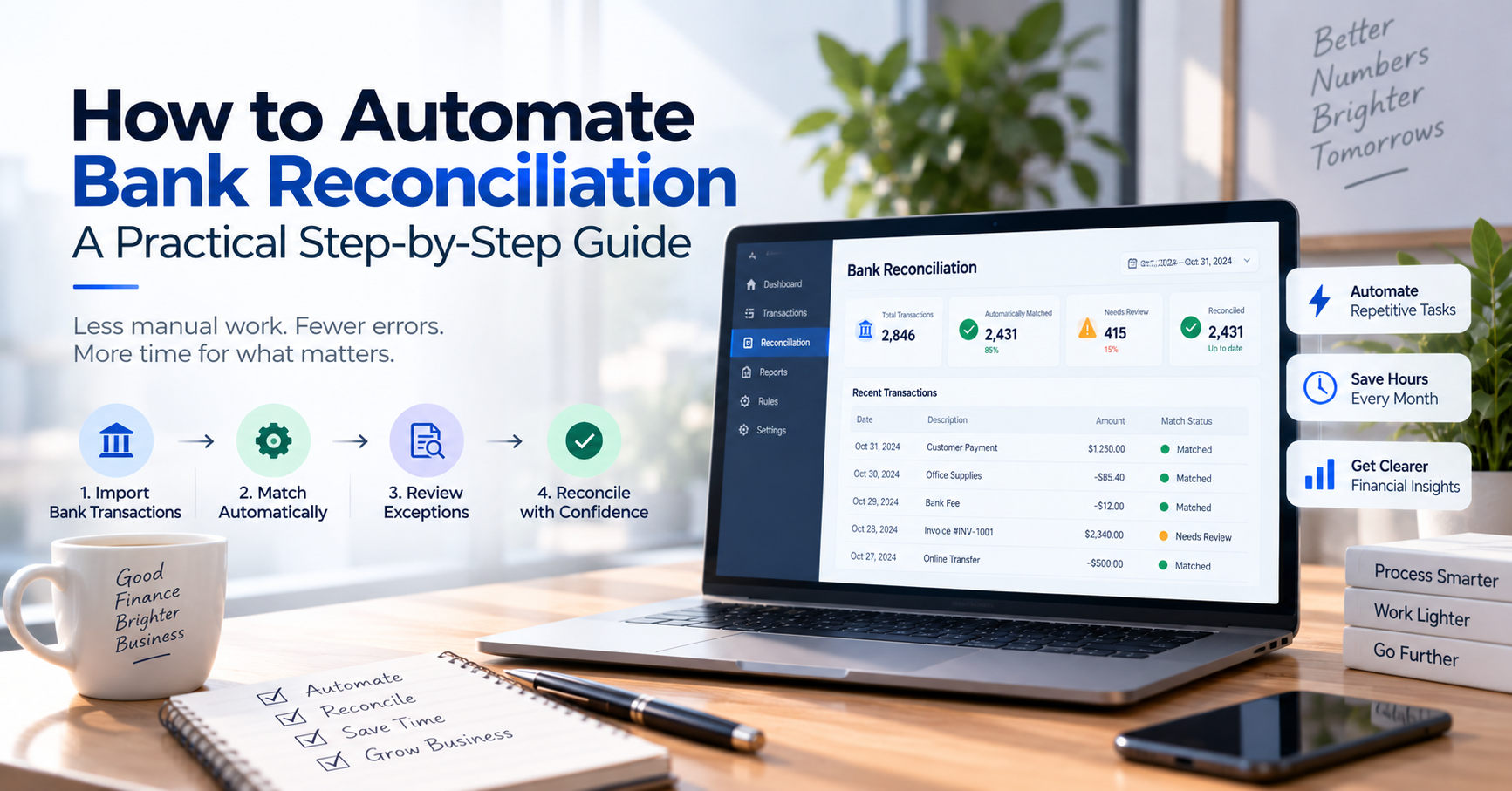
Bank data → Automatic matching → Exception detection → Human review → Reconciliation
The difference is important.
Instead of asking someone to inspect every transaction, the system processes transactions that meet predefined matching conditions and directs attention toward transactions that require judgment.
For a business processing thousands of transactions, this can substantially reduce repetitive work.
Why Automate Bank Reconciliation?
Consider a business processing 3,000 bank transactions every month.
If an employee spends just 20 seconds checking each transaction, the initial review alone requires:
3,000 × 20 seconds = 60,000 seconds
That is more than 16 hours per month.
And that does not include investigating missing payments, searching for references, correcting discrepancies, or preparing reconciliation reports.
Automation changes the economics of the process.
If software can confidently handle the majority of routine transactions, employees can spend their time investigating the smaller number of exceptions.
The potential benefits include:
- Less manual transaction checking
- Faster reconciliation
- Fewer data-entry errors
- Earlier detection of discrepancies
- Better visibility into cash
- More consistent accounting processes
- Easier month-end closing
- More time for financial analysis
The biggest benefit is not necessarily eliminating accounting work.
It is eliminating unnecessary accounting work.
What Parts of Bank Reconciliation Can Be Automated?
Not every step should be automated in the same way.
It helps to divide the process into several stages.
1. Collecting Bank Transactions
The first opportunity for automation is transaction collection.
Instead of manually logging into a banking portal and downloading statements, transaction data may be imported through:
- Direct bank feeds
- Banking APIs
- Open banking connections
- CSV imports
- OFX/QIF files
- Payment gateway integrations
- Other financial data providers
The ideal approach depends on your bank, country, accounting software, and transaction volume.
Automatic bank feeds are convenient, but they should not be your only consideration.
A reliable workflow should also have a fallback process if a bank connection temporarily becomes unavailable.
2. Normalizing Transaction Data
Different banks often describe similar transactions differently.
For example, one bank might provide:
TRANSFER ABC COMPANY 92837
while another might provide:
TRF/ABC CO/92837
Before matching transactions effectively, software may need to normalize information such as:
- Dates
- Amounts
- Transaction descriptions
- Reference numbers
- Account identifiers
- Debit and credit indicators
- Currency
This is an important but often invisible part of reconciliation automation.
Poor-quality input data produces poor-quality matching.
3. Matching Transactions
Transaction matching is the heart of automated reconciliation.
The software compares a bank transaction with records from your accounting or financial system.
A simple example:
Bank transaction
Amount: $1,250
Date: September 10
Reference: INV-1042
Accounting record
Invoice: INV-1042
Amount: $1,250
Expected payment: September 10
This is a strong candidate for automatic matching.
The system may compare several attributes, including:
- Amount
- Date
- Invoice number
- Reference
- Customer
- Supplier
- Description
- Currency
- Bank account
The more information that agrees, the more confident the system can be about the match.
Exact Matching vs. Intelligent Matching
There are two broad approaches to transaction matching.
Exact Matching
Exact matching uses strict conditions.
For example:
Amount must be identical AND reference number must be identical.
This approach is relatively easy to understand and control.
It works particularly well for structured transactions.
The disadvantage is that real-world payments are not always perfect.
A customer may enter an incorrect reference.
A bank may alter the transaction description.
A payment may arrive one day later than expected.
That leads to intelligent or fuzzy matching.
Intelligent Matching
More advanced systems can consider several pieces of information together rather than requiring every field to match exactly.
For example:
Invoice: $2,500
Payment received: $2,500
Invoice date: September 4
Payment date: September 6
Reference: ABC-9281
The system might determine that this is probably the correct payment even though the dates are different.
Some platforms can also use historical transaction patterns or machine learning to improve matching suggestions.
The important word is suggestions.
Automation should have appropriate controls around transactions where the match is uncertain.
Use Confidence Levels
One practical approach to reconciliation automation is to assign different actions according to confidence.
For example:
High confidence — 99%
Amount matches. Reference matches. Customer matches.
Action: Automatically reconcile.
Medium confidence — 85%
Amount matches. Customer appears correct. Reference is missing.
Action: Suggest the match for human approval.
Low confidence — 40%
Only the amount matches.
Action: Leave unmatched and request review.
The exact thresholds will depend on your business.
The principle is more important:
The less certain the system is, the more human oversight it should require.
Step-by-Step: How to Automate Bank Reconciliation
Now let’s turn the concept into a practical workflow.
Step 1: Document Your Current Process
Do not start by buying software.
Start by observing what your team currently does.
Write down every step from receiving transaction data to completing reconciliation.
For example:
- Log in to three bank accounts.
- Download statements.
- Open accounting software.
- Export invoices.
- Copy transactions into Excel.
- Sort transactions by amount.
- Search for invoice references.
- Mark matched transactions.
- Investigate unmatched transactions.
- Send questions to another employee.
- Update accounting records.
- Save the reconciliation spreadsheet.
Once the workflow is visible, automation opportunities become much easier to identify.
Step 2: Identify Repetitive Tasks
Look for activities performed repeatedly without requiring much judgment.
These are usually the best candidates for automation.
Examples include:
- Downloading transactions
- Importing transaction data
- Formatting dates
- Categorizing recurring expenses
- Matching exact amounts and references
- Identifying duplicate transactions
- Generating reconciliation reports
- Sending transactions to review queues
Do not begin with your most complicated exceptions.
Automate the easiest 60–80% first.
Step 3: Centralize Bank Transaction Data
If your employees regularly log into several bank accounts, centralizing transaction information can provide immediate benefits even before sophisticated matching is introduced.
Instead of:
Bank A → Employee
Bank B → Employee
Bank C → Employee
you create:
Bank A + Bank B + Bank C → Central transaction system → Employee
This gives the business a single place to search and review transaction activity.
For businesses receiving many bank transfers, this step alone can remove a significant amount of operational work.
Step 4: Connect Your Accounting Records
Bank transactions are only one side of reconciliation.
The other side may include:
- Invoices
- Bills
- Expenses
- Customer accounts
- Supplier records
- Payment records
- General ledger entries
Your reconciliation software needs enough information from both sides to determine whether transactions correspond.
The quality of the integration matters.
If employees still need to manually copy data between systems, you may have automated only half of the workflow.
Step 5: Create Matching Rules
Begin with simple rules that are easy to understand.
For example:
Rule A
If:
- Bank amount = invoice amount
- Invoice reference = bank reference
Then:
Suggest automatic match
Rule B
If:
- Description contains “BANK FEE”
Then:
Categorize as Bank Fees
Rule C
If:
- Description contains the name of a recurring software provider
- Amount is within the expected range
Then:
Suggest Software Expense
Start conservatively.
It is better to automate fewer transactions correctly than automate everything and create incorrect financial records.
Step 6: Handle One-to-Many and Many-to-One Transactions
Real-world reconciliation is not always one bank transaction matched with one invoice.
Suppose a customer pays three invoices together:
Invoice A: $500
Invoice B: $750
Invoice C: $250
Bank payment:
$1,500
Your system may need to recognize:
One bank transaction → Three invoices
The reverse can also happen.
A single invoice may be paid through several transactions.
For example:
Invoice: $2,000
Payments:
$500
$500
$1,000
Your reconciliation workflow should account for these situations if they are common in your business.
Step 7: Create an Exception Queue
This may be the most important part of the entire system.
Automation should not hide uncertainty.
Transactions that cannot be matched confidently should go into an exception queue.
Examples include:
- Unknown payment
- Incorrect amount
- Missing reference
- Duplicate transaction
- Partial payment
- Unexpected bank fee
- Possible duplicate invoice
- Currency difference
- Unusual transaction
Your finance team should begin its day by reviewing exceptions, not every transaction.
That is where the real productivity improvement happens.
Step 8: Define Who Can Approve What
Automation should respect your financial controls.
For example:
Bookkeeper
Can review matches but cannot approve large adjustments.
Accounting manager
Can approve reconciliation and adjustments.
Business owner
Can review reports and unusual transactions.
Not every employee should have the ability to modify financial records.
Role-based permissions become increasingly important as the company grows.
Step 9: Keep an Audit Trail
Every reconciliation decision should ideally be traceable.
You may need to know:
- When the transaction was imported
- Which rule matched it
- Whether it was automatically or manually matched
- Who approved it
- Whether the match was later changed
- Why an adjustment was created
Audit trails are useful not only for formal audits.
They are also extremely helpful when someone asks:
“Why was this transaction reconciled this way three months ago?”
Step 10: Measure the Results
Automation should produce measurable improvements.
Track metrics such as:
Auto-Match Rate
Percentage of transactions automatically matched.
Exception Rate
Percentage requiring human review.
Reconciliation Time
How many hours are spent reconciling each week or month?
Error Rate
How frequently are incorrect matches discovered?
Time to Reconcile
How long after a transaction occurs is it reconciled?
Suppose you process 5,000 transactions monthly.
Before automation:
- 5,000 manually reviewed
- 25 hours of work
After automation:
- 4,200 automatically processed
- 800 reviewed
- 7 hours of work
That is a meaningful operational improvement.
But do not optimize only for the highest possible auto-match percentage.
A 99% automation rate is not impressive if the system frequently makes incorrect matches.
Accuracy matters more than automation percentage.
Example of an Automated Reconciliation Workflow
Consider an online business receiving hundreds of customer payments every day.
A practical workflow might look like this:
1. Transaction arrives at the bank
↓
2. Transaction data enters the centralized system
↓
3. Software normalizes the transaction information
↓
4. Matching engine compares it with expected payments
↓
5. High-confidence match found
→ Automatically matched
OR
5. No reliable match found
→ Exception queue
↓
6. Employee reviews only the exception
↓
7. Transaction is confirmed or corrected
↓
8. Reconciliation record is maintained
This is fundamentally different from asking an employee to check every payment manually.
What Should You Not Fully Automate?
Not every financial decision should be handed to software.
Be particularly careful with:
- Large unusual transactions
- Transactions with ambiguous matches
- Manual journal adjustments
- Unexpected refunds
- Duplicate-looking payments
- Transactions involving different currencies
- Suspicious transactions
- Transactions requiring management approval
Automation should reduce repetitive work without removing appropriate financial controls.
Bank Reconciliation Automation for Small Businesses
Small businesses do not necessarily need enterprise reconciliation software.
A simpler workflow may be enough.
For example:
Bank transactions → Accounting software → Automatic suggestions → Owner/bookkeeper review
Platforms such as QuickBooks, Xero, Zoho Books, and Sage provide reconciliation capabilities as part of broader accounting systems.
For many small businesses, these built-in tools may be sufficient.
The situation changes when the operational problem is not simply bookkeeping.
A business may have several bank accounts and receive hundreds or thousands of transfers from customers.
Employees may constantly need to answer:
“Has this customer paid?”
In that situation, centralized bank transaction monitoring becomes particularly valuable.
A transaction-focused system such as AutoBookBank can help businesses organize bank activity in one place, search transactions, manage transaction statuses, and reduce the need to repeatedly check individual banking applications.
It may complement your accounting system rather than replace it.
Spreadsheet Automation: Is It Enough?
You do not always need specialized software immediately.
For smaller businesses, a spreadsheet combined with transaction exports can automate part of the process.
For example, formulas can compare:
- Amounts
- Dates
- References
- Invoice numbers
This can work surprisingly well at low transaction volumes.
However, spreadsheet-based reconciliation becomes harder to manage when you introduce:
- Multiple users
- Thousands of transactions
- Multiple bank accounts
- Approval workflows
- Complex matching
- Audit trails
- Real-time transaction monitoring
At that point, maintaining the spreadsheet itself becomes part of the workload.
How Much Can Bank Reconciliation Automation Save?
The answer depends on transaction volume and complexity.
Consider a company processing 10,000 transactions per month.
If manual checking averages only 15 seconds per transaction:
10,000 × 15 seconds = 150,000 seconds
That is approximately:
41.7 hours per month
Now suppose automation handles 85% of routine transactions.
Only 1,500 transactions require review.
At the same 15 seconds each, initial review time falls to approximately:
6.25 hours
Real-world savings will vary because exceptions take longer than routine transactions.
Still, the example illustrates an important point.
You do not need to automate 100% of reconciliation to achieve significant savings.
Common Automation Mistakes
Trying to Automate Everything Immediately
Start with predictable transactions.
Add more sophisticated rules only after the basic workflow is reliable.
Using Amount as the Only Matching Condition
Two unrelated transactions can have identical amounts.
Combine amount with other information whenever possible.
Ignoring Data Quality
If invoice references are inconsistent and transaction descriptions are unreliable, matching accuracy will suffer.
Automation cannot completely compensate for poor financial data.
Creating Too Many Rules
Rules can become difficult to understand when hundreds overlap.
Keep them simple, documented, and periodically reviewed.
Ignoring Exceptions
An unmatched transaction is not an automation failure.
It may be the system correctly recognizing that it does not have enough information.
A good exception queue is a feature, not a weakness.
Measuring Speed but Not Accuracy
Fast reconciliation is useful only when the result is correct.
Monitor incorrect matches as carefully as unmatched transactions.
Choosing Bank Reconciliation Automation Software
Before choosing a platform, ask these questions:
- Does it support my banks?
- Can it import transactions automatically?
- Can I import transactions manually if necessary?
- How does transaction matching work?
- Can matching rules be customized?
- Does it support partial and combined payments?
- How are exceptions handled?
- Can several employees use the system?
- Are user permissions available?
- Is there an audit trail?
- Can I export my data?
- Does it integrate with my accounting system?
- What happens when an automatic match is incorrect?
Most importantly, test the software with real transactions from your business.
Do not evaluate it only using clean demonstration data.
Give it difficult transactions.
That is where you discover how useful the software actually is.
Frequently Asked Questions
Can bank reconciliation be fully automated?
A large percentage of routine transactions can potentially be automated, but complete automation is not always desirable.
Transactions with uncertain matches, unusual amounts, missing references, or other exceptions may still require human review.
A more practical objective is to automate predictable transactions while creating an efficient workflow for exceptions.
How does automated bank reconciliation work?
The software imports bank transactions and compares them with accounting or payment records.
Matching may use information such as amount, date, reference number, invoice number, customer information, or transaction descriptions.
High-confidence matches can be processed automatically or suggested for approval, while uncertain transactions are sent for review.
Is automated bank reconciliation safe?
It can be, provided appropriate controls are used.
Businesses should consider user permissions, approval workflows, matching thresholds, audit trails, and exception review.
Financial automation should make controls stronger, not bypass them.
Can AI automate bank reconciliation?
AI and machine learning can assist with transaction classification, matching predictions, anomaly identification, and learning from previous reconciliation decisions.
However, AI should not automatically be treated as correct.
Financial decisions with low confidence or significant consequences should still have appropriate human oversight.
How often should automated reconciliation run?
It depends on the business.
Low-volume companies may reconcile weekly or monthly.
Businesses with frequent customer payments or high transaction volumes may benefit from daily or near-real-time processing.
Automation makes more frequent reconciliation practical because employees no longer need to manually inspect every transaction.
What is the difference between bank reconciliation and transaction matching?
Transaction matching is one component of reconciliation.
Matching identifies which bank transaction corresponds to which accounting record.
Reconciliation is the broader process of confirming that bank activity and financial records agree, investigating discrepancies, making appropriate adjustments, and completing the financial control process.
Final Thoughts
Bank reconciliation automation should not begin with the question:
“How can we remove people from reconciliation?”
A better question is:
“Which parts of reconciliation actually require a person?”
Importing transactions usually does not.
Formatting dates does not.
Checking thousands of obvious exact matches does not.
Investigating an unusual $20,000 payment probably does.
That distinction is the foundation of a good automated reconciliation system.
Start with your current workflow. Identify repetitive tasks. Centralize your transaction data. Build conservative matching rules. Automatically process high-confidence transactions and send everything uncertain to an exception queue.
Then measure the results and improve gradually.
The most effective automation is not the system that makes the most decisions.
It is the system that makes routine decisions reliably and gives people the information they need when human judgment actually matters.